
Logbook, weather and tools. All in one app.
PROB30 tracks your ATPL progress and shows how close you are to the minimum requirements of airlines across Canada and the US, filled in from your own logbook. Plus live weather, a map with radar and charts, AI scanners for paper logs and flight tools. Made in Canada by Last Chance Labs.
Career trackerTransport Canada ATPL and FAA ATP requirements, plus the published minimums of 63 airlines (27 in Canada, 36 in the US), updated every time you log a flight.Minimums change; always confirm with the airline. Not affiliated with any airline.PROB30 = a 30% chance, in TAF-speak. Sample text.
Reference only. PROB30 is not an approved or official source of weather or aeronautical information and is not for navigation or operational use. Always check official sources before and during flight.
- No account neededYour logbook stays on your iPhone
- No ads, no trackingWe never sell your data
- Canada and the USMETARs and TAFs for both
- iCloud backupPlus optional iCloud sync
Built for the way pilots actually work
Five tabs: Weather, Map, Tools, Career and Logbook. Here is what is inside each one.
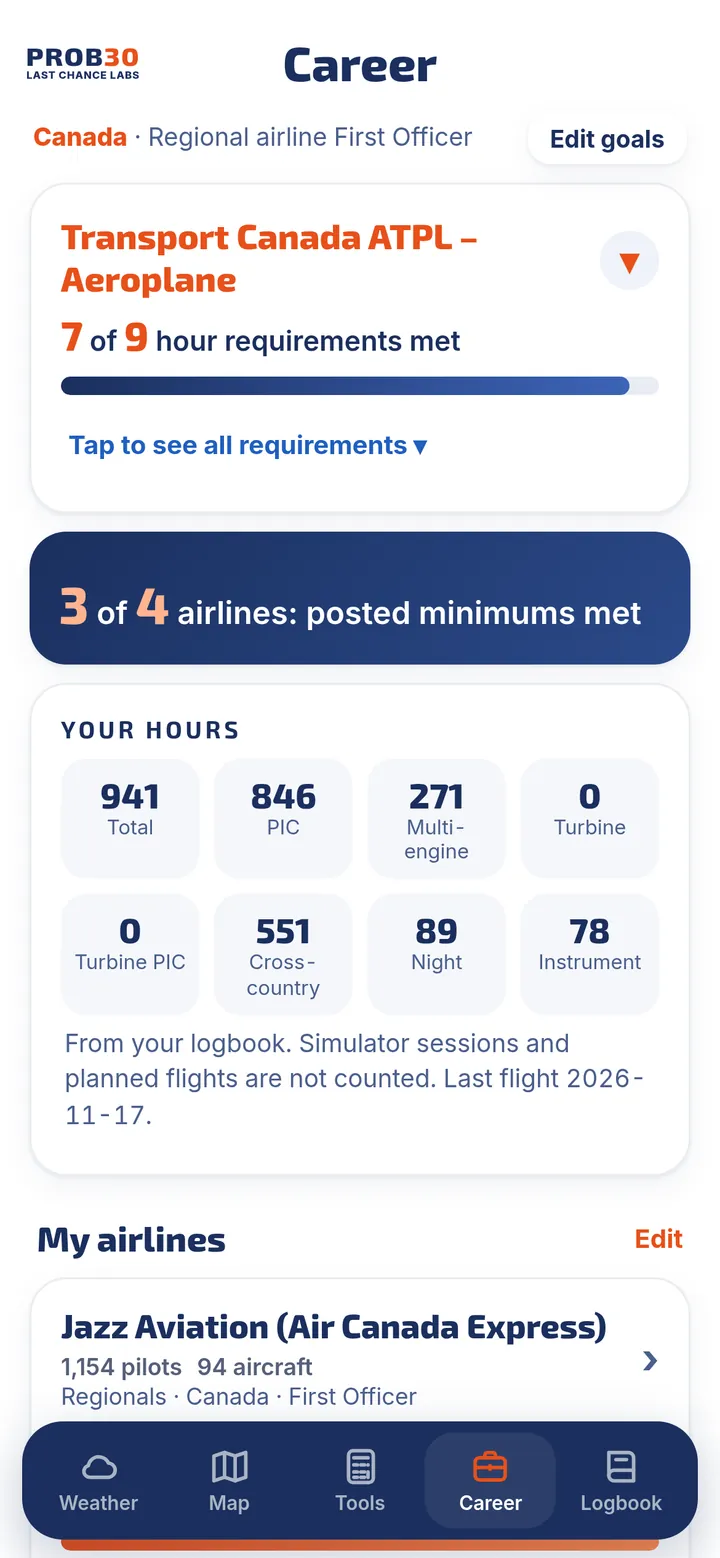
Know exactly how close you are to the ATPL and your next airline job
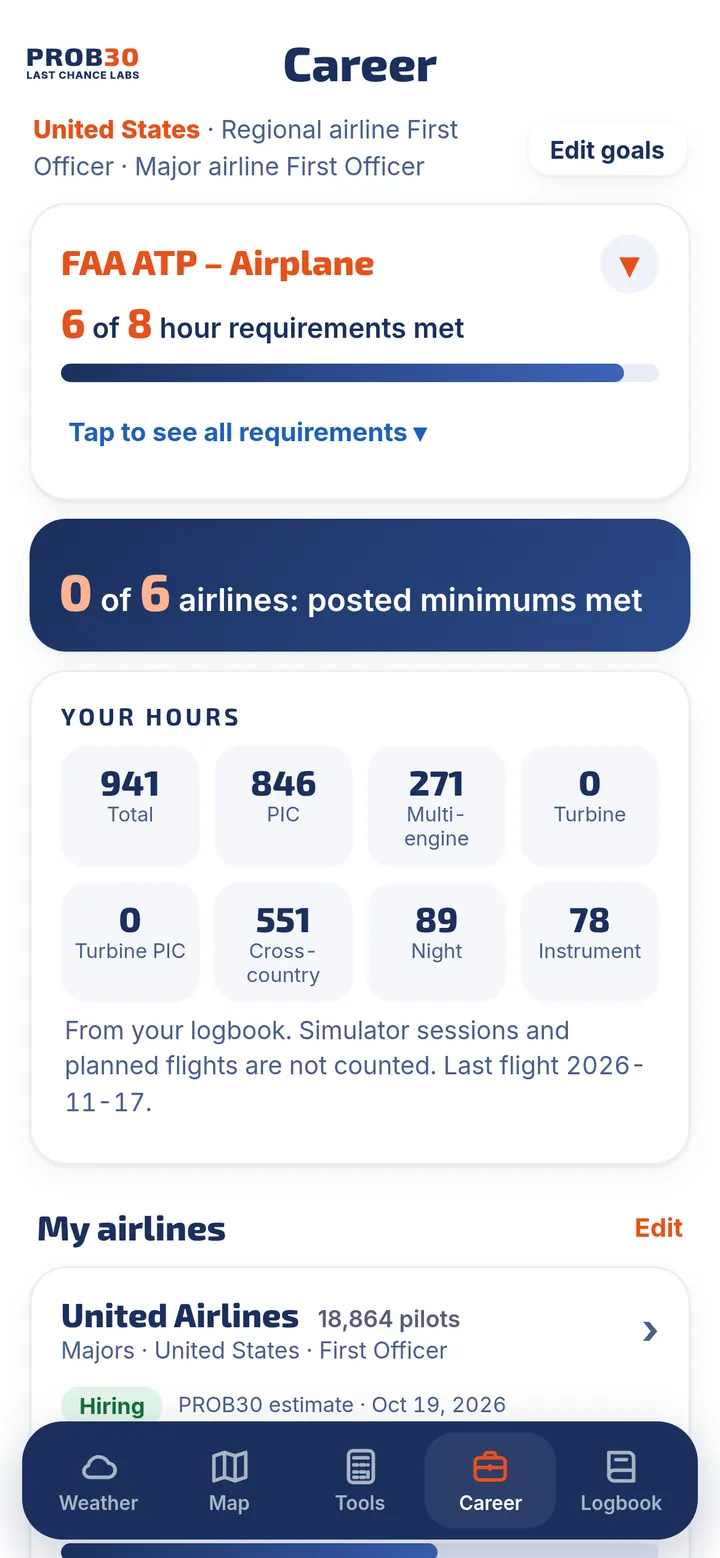
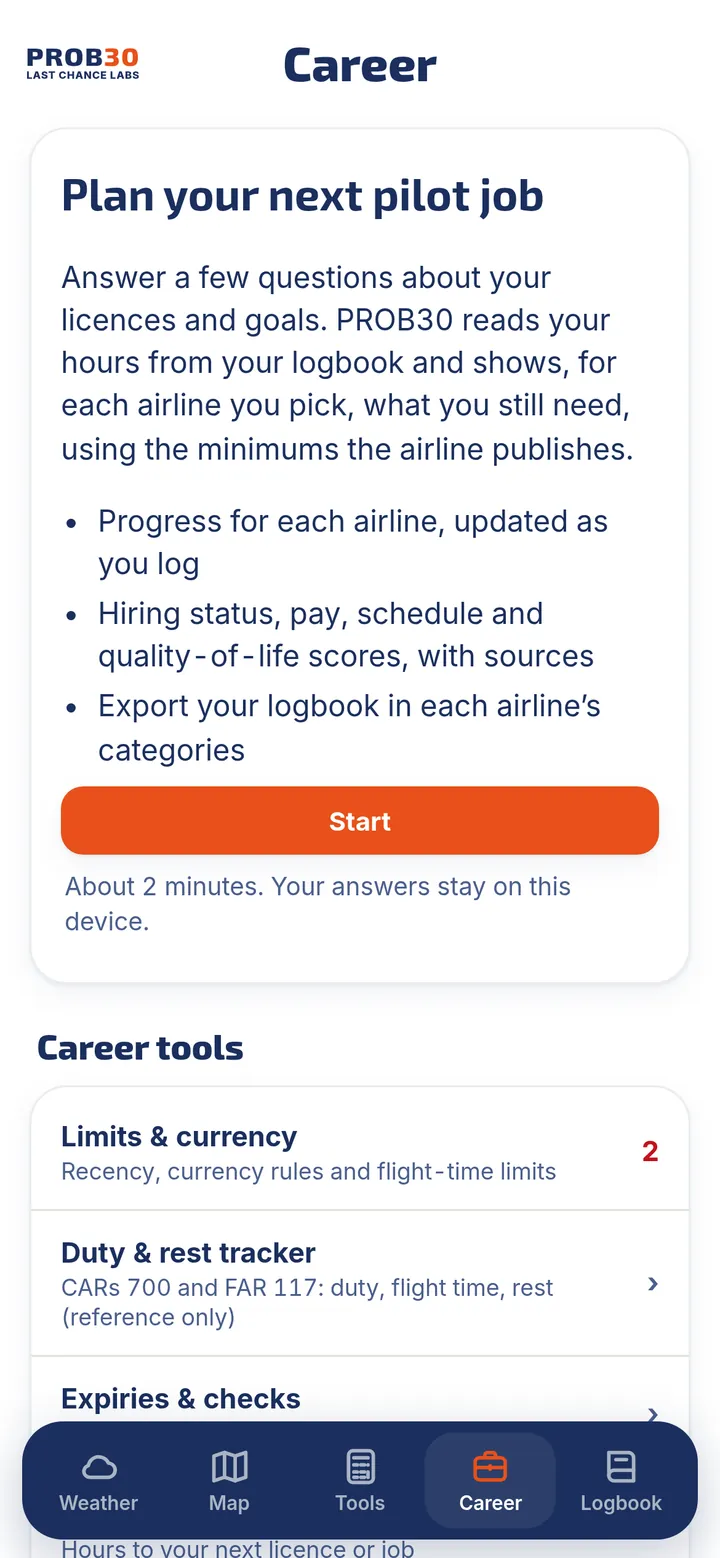
Answer a few questions about your licences and goals. PROB30 reads your hours straight from your logbook, then tracks every ATPL requirement and the published minimums of airlines across Canada and the US.
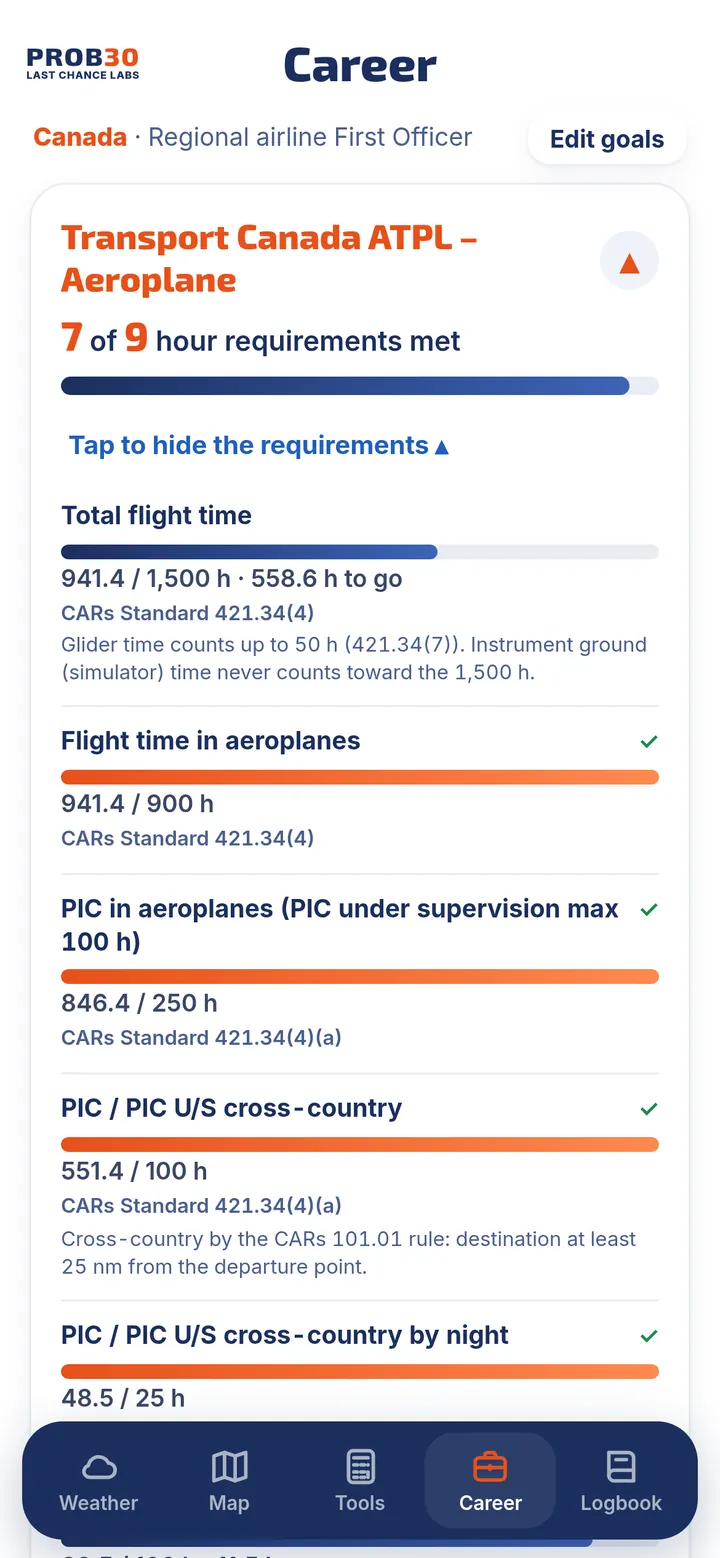
- ATPL progress, requirement by requirementA progress bar for every Transport Canada ATPL or FAA ATP hour requirement (total, PIC, cross-country, night, instrument and more), with the exact rule and the hours you still need. FAA restricted ATP (R-ATP) totals are included.
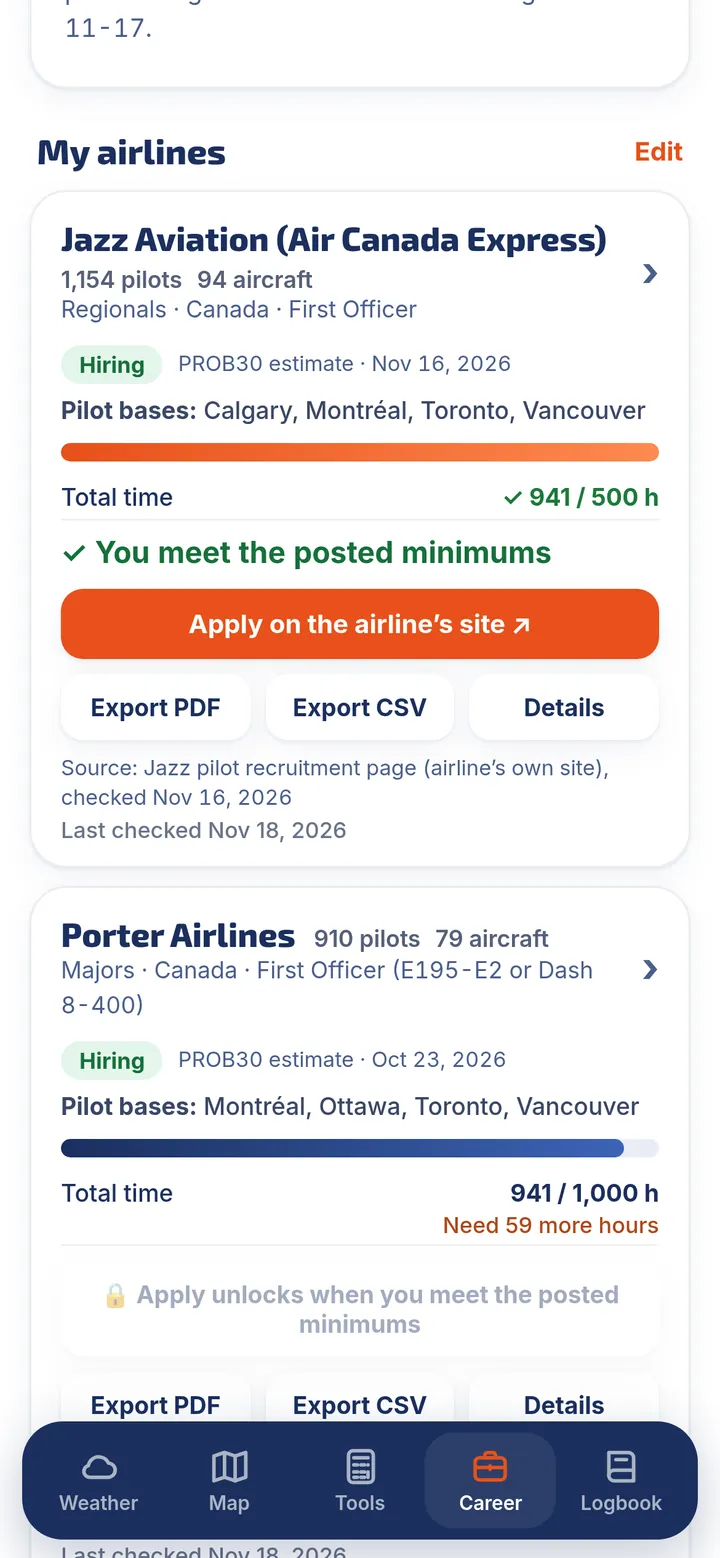
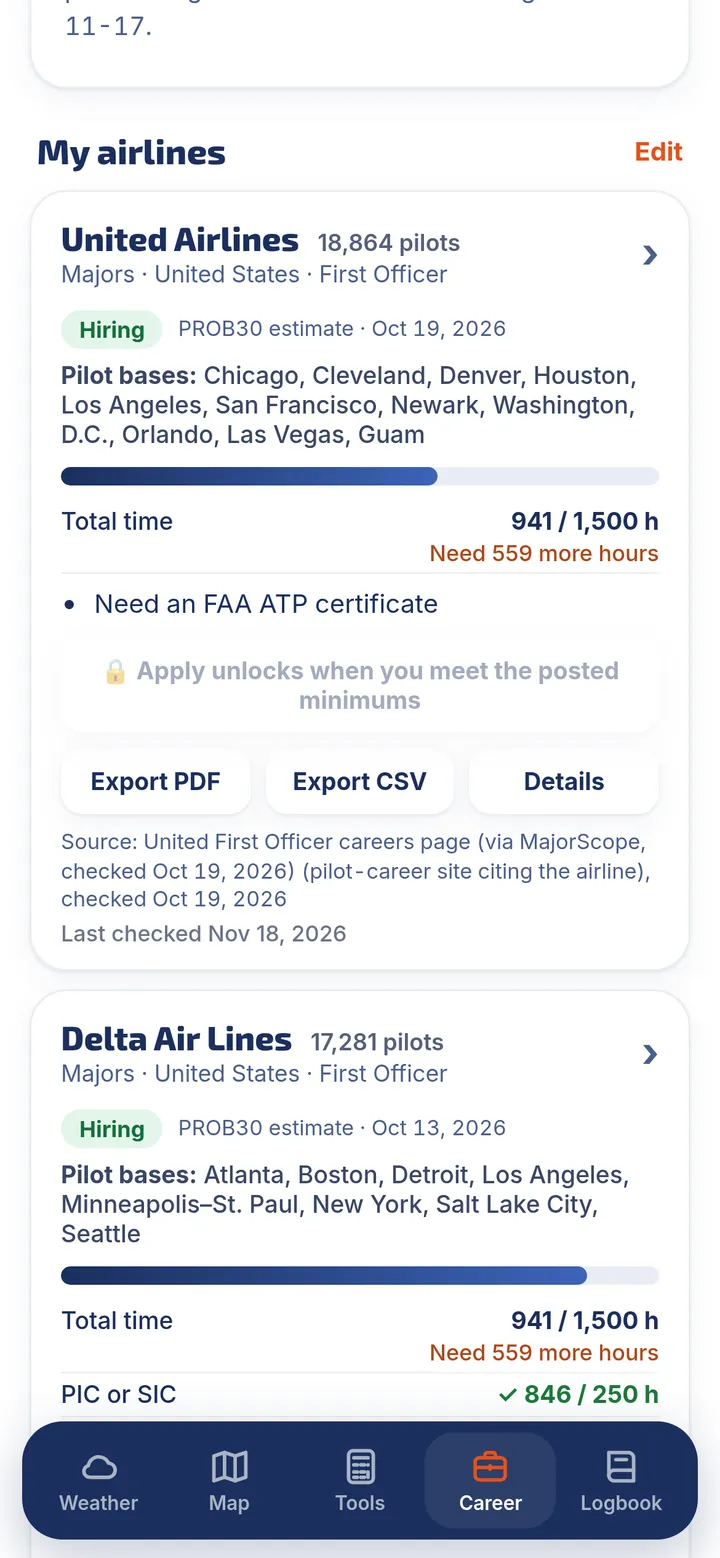
- Minimums for airlines across Canada and the USPick the airlines you want, from majors and regionals to cargo and charter. Each card shows your hours against the airline's posted minimums, "Need N more hours" or "You meet the posted minimums", plus hiring status, pilot bases and fleet.
- Updated every time you logLog a flight or scan an old logbook page and your ATPL bars and airline cards move with it.
- Sources and dates on every figureEach airline figure shows where it came from and when it was last checked. Apply links open the airline's own careers page.
- Exports for applicationsExport your logbook in each airline's categories, plus Transport Canada experience, FAA 8710-1 / IACRA and airline application summaries.
- Limits, duty and currencyRecency and currency rules, a duty and rest tracker for CARs 700 and FAR 117, flight-time limits, your own currency rules, expiries (medical, licence, PPC, type rating) and goals.
Minimums and hiring status change; always confirm with the airline. PROB30 is not affiliated with or endorsed by any airline, Transport Canada or the FAA, does not guarantee a job or an interview, and never applies for you. Requirement trackers and the duty and rest tracker are for reference only.
Live weather, clearly decoded
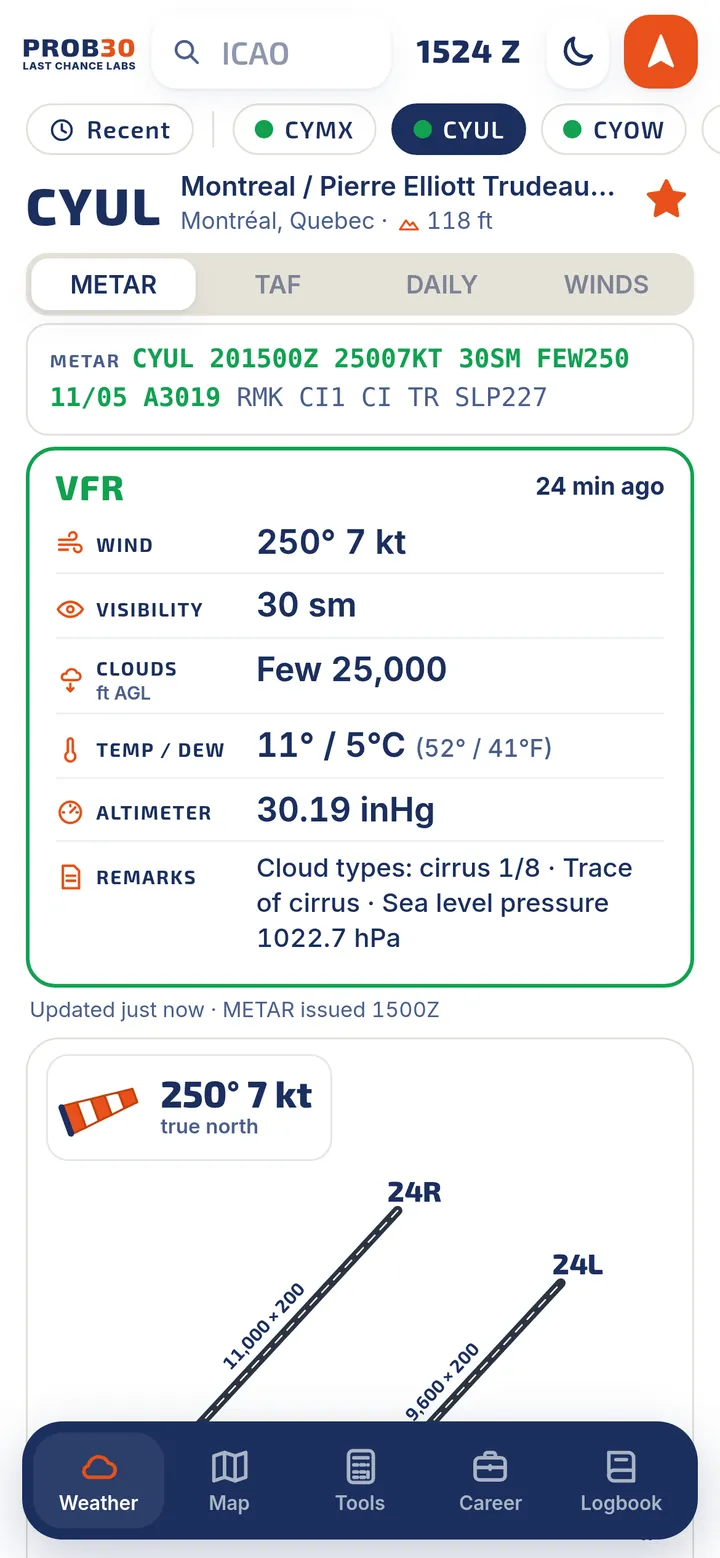
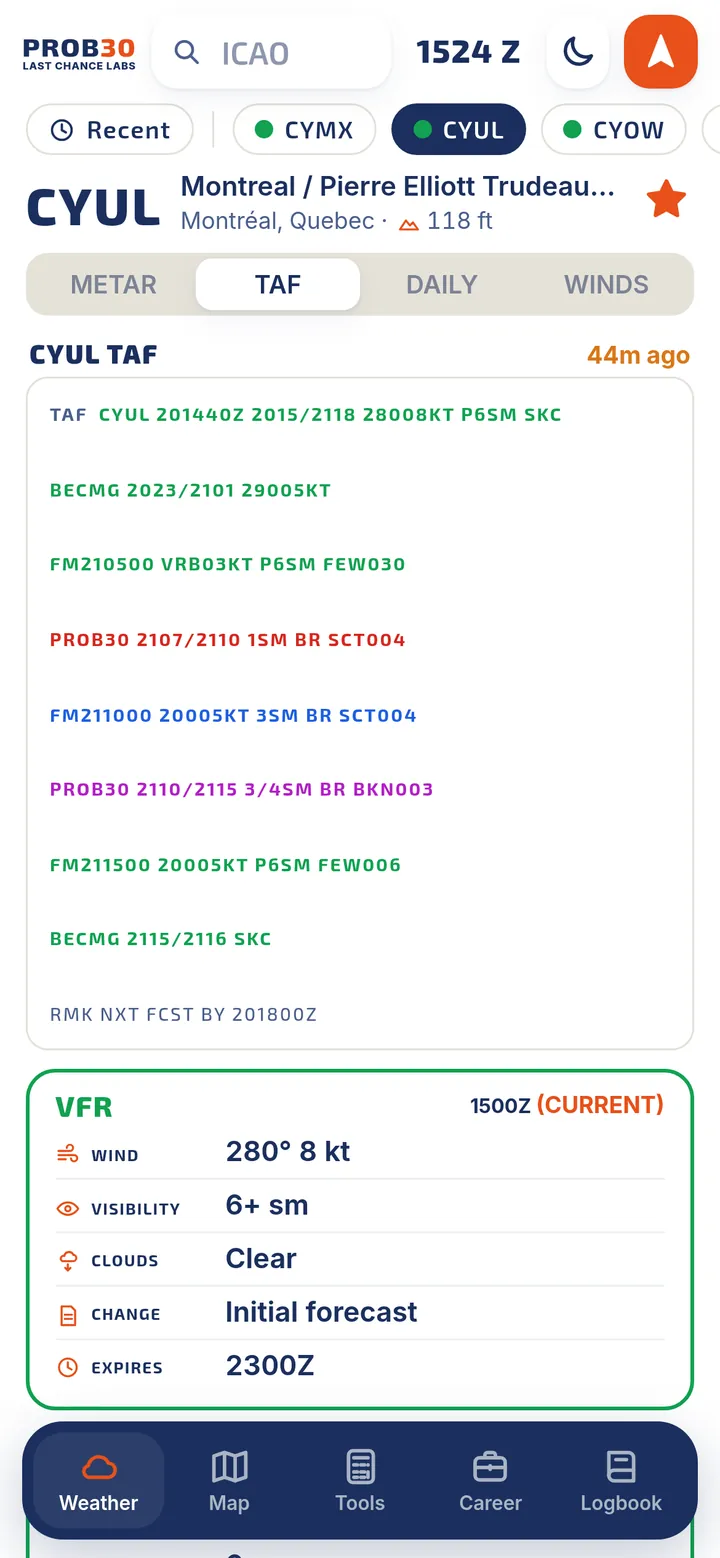
Type an airport and get the latest report in plain language, colour-coded by flight category, with the raw text right above it.
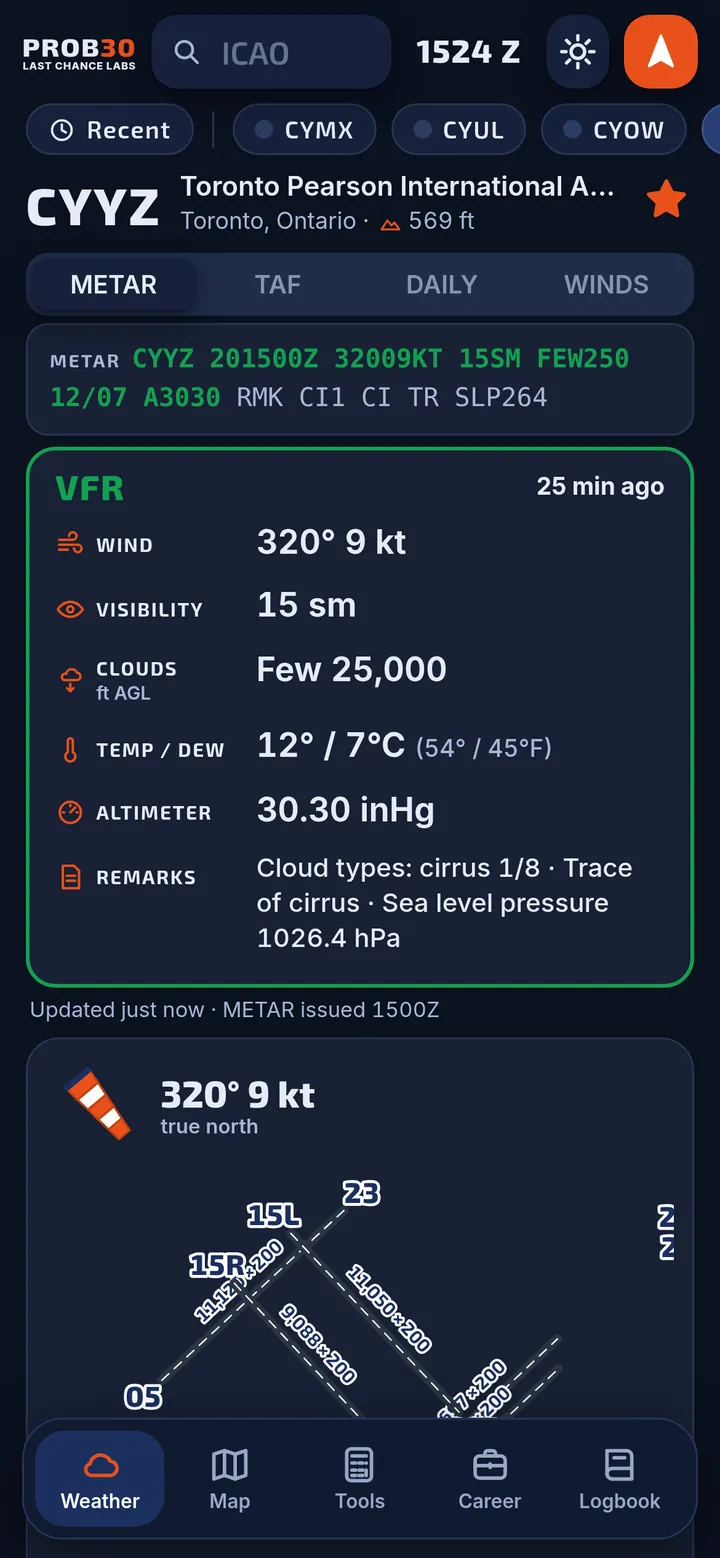
- METARs and TAFs for Canada and the USEvery line decoded: wind, visibility, clouds, temperature, altimeter and even the remarks. VFR, MVFR, IFR and LIFR at a glance.
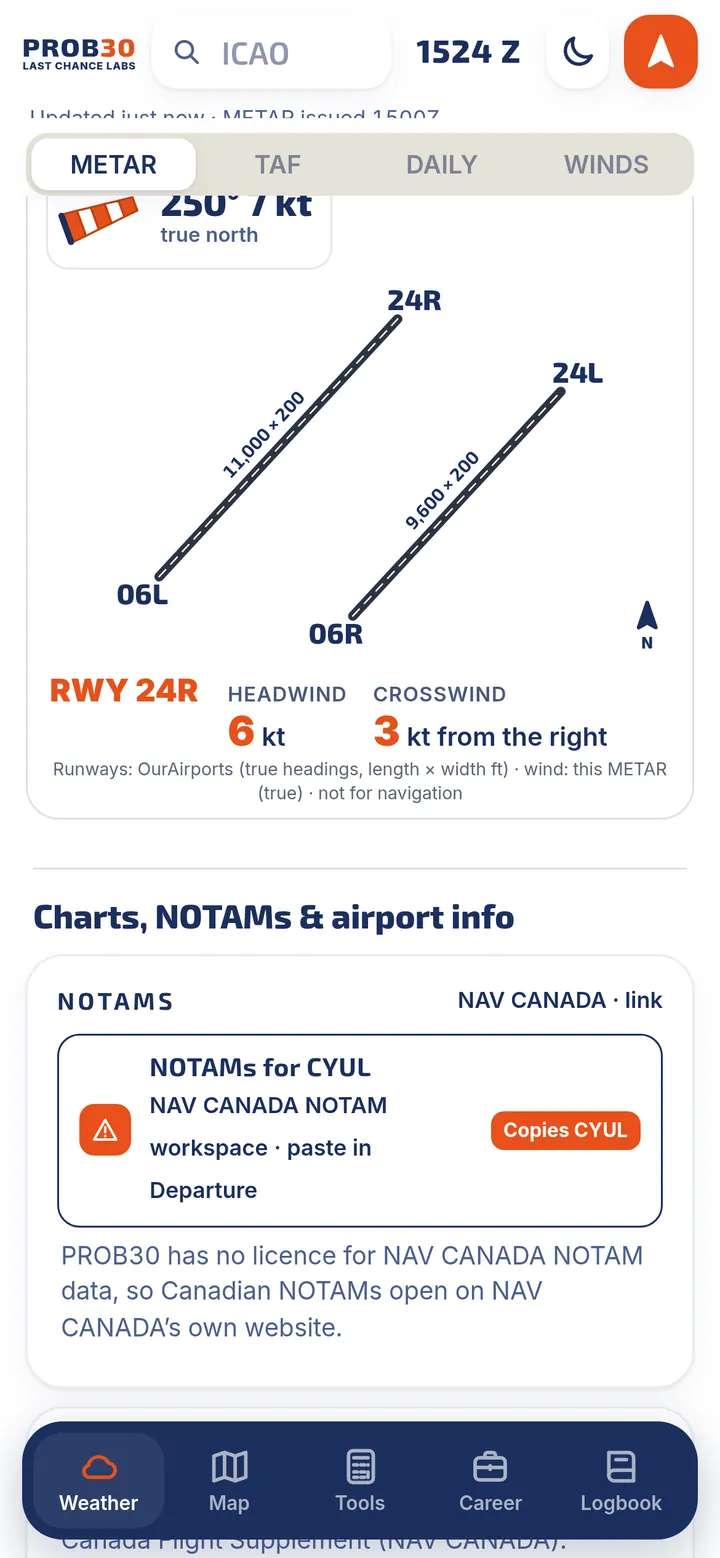
- Runway wind diagramSee each runway drawn to scale with headwind and crosswind components from the current wind.
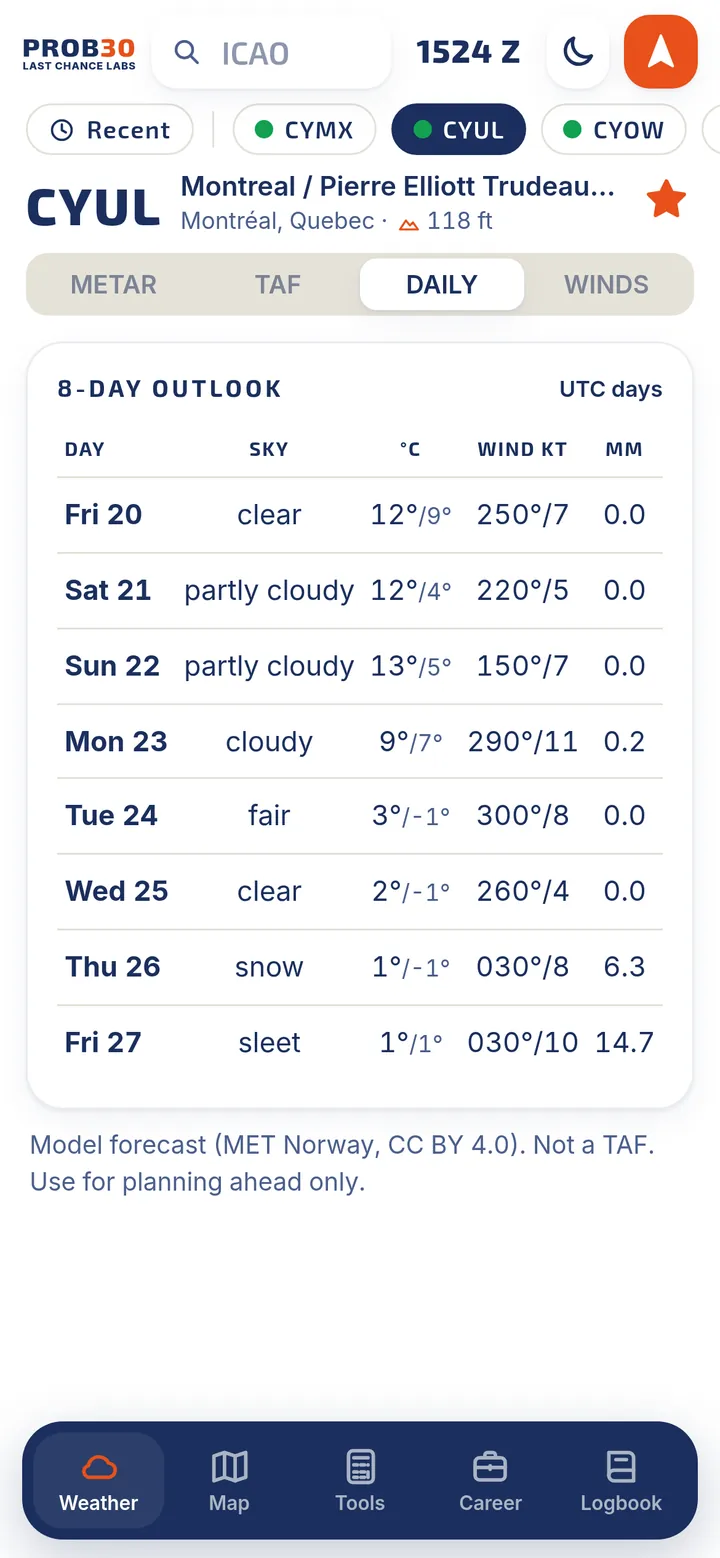
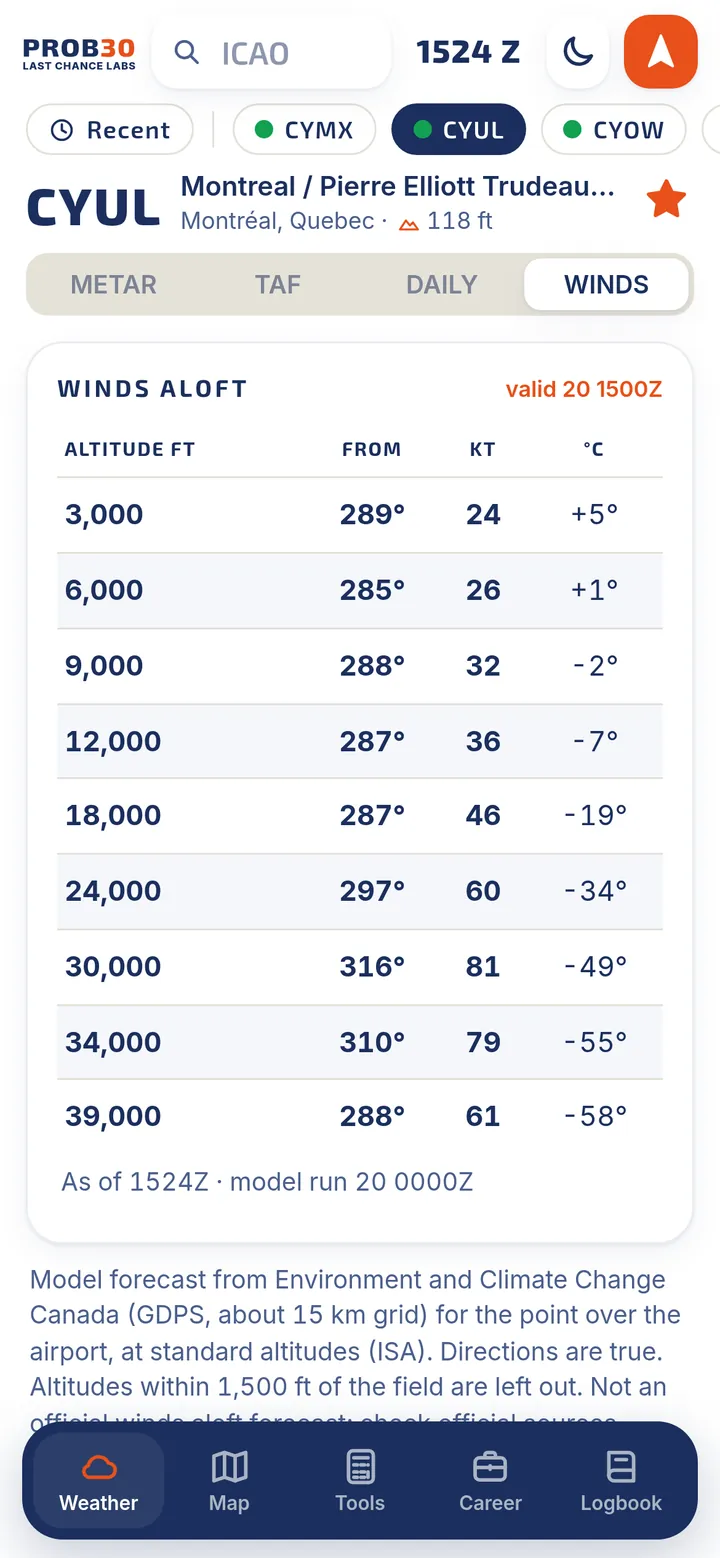
- 8-day outlook and winds aloftA daily model outlook for planning ahead, and winds and temperatures at the standard altitudes over the airport.
- Favourites, recents and nearestStar the airports you fly to, jump back to recent ones, or find the nearest airports with weather.
- Night modeA dark theme that is easy on your eyes in the cockpit at night.
For Canadian NOTAMs, frequencies and charts, PROB30 opens the official websites. The 8-day outlook is a model forecast, not a TAF.
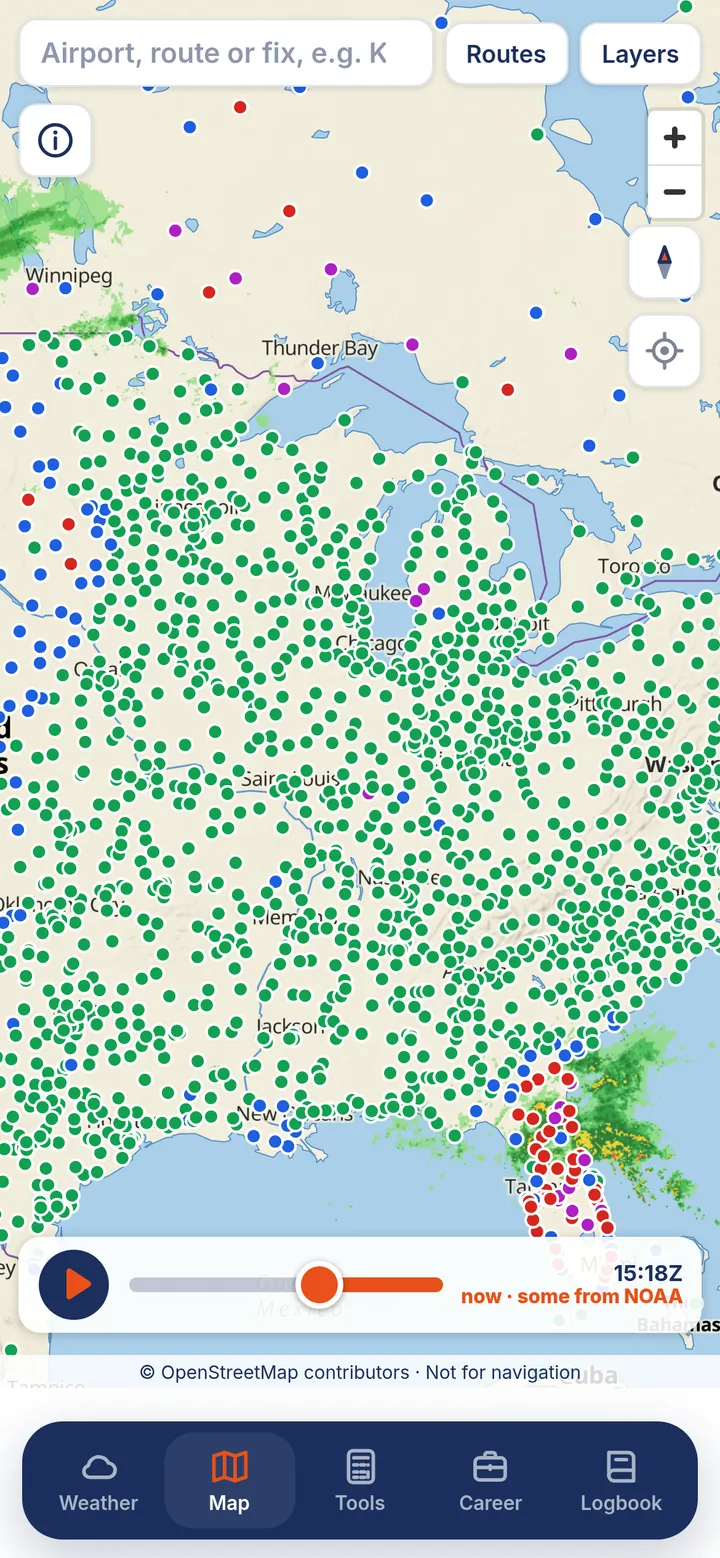
Radar, layers and your route, on one map
A fast, smooth map that shows what the weather is doing now and over the next little while, with the layers you choose.
- Live radar with a short forecastPlay the loop to see where the weather has been and where it is heading.
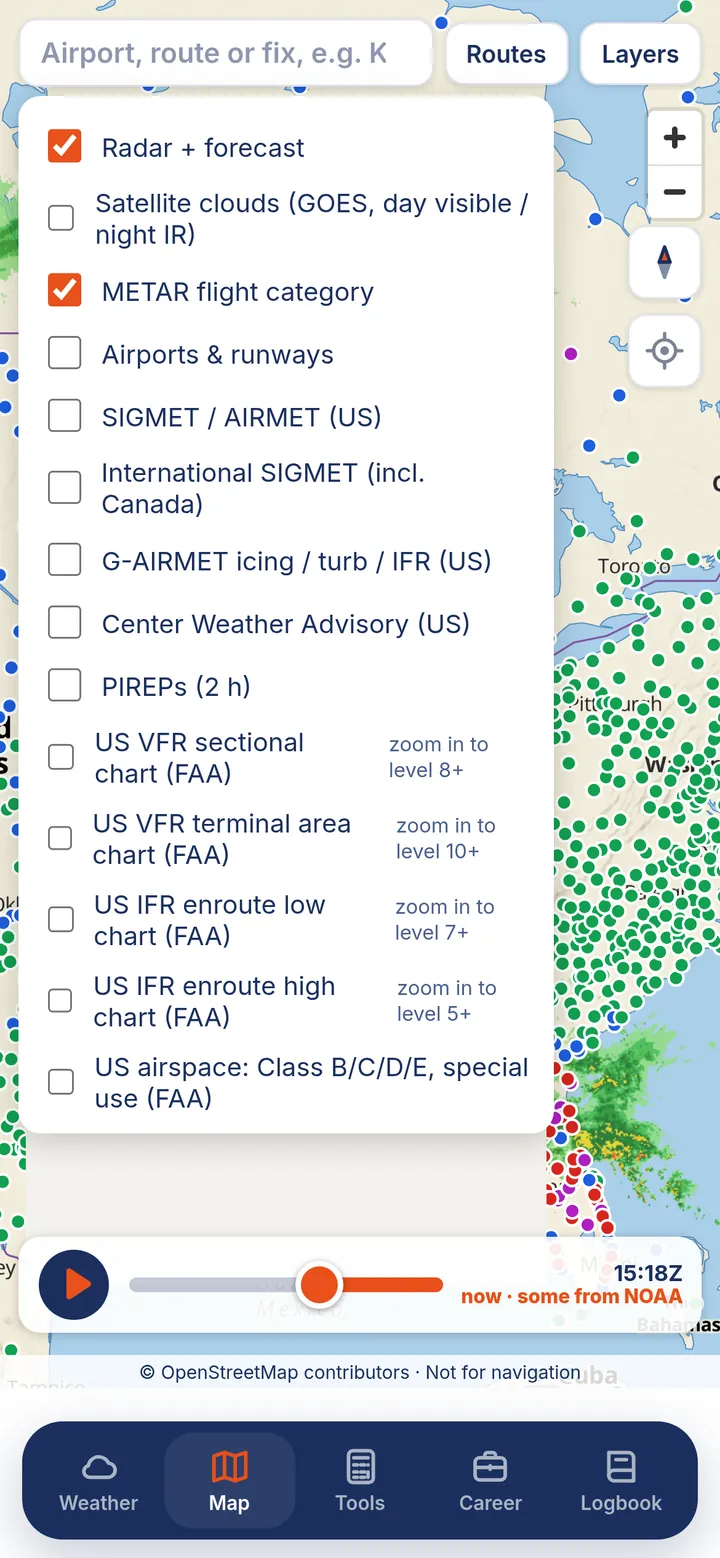
- Satellite cloudsDay visible and night infrared satellite imagery.
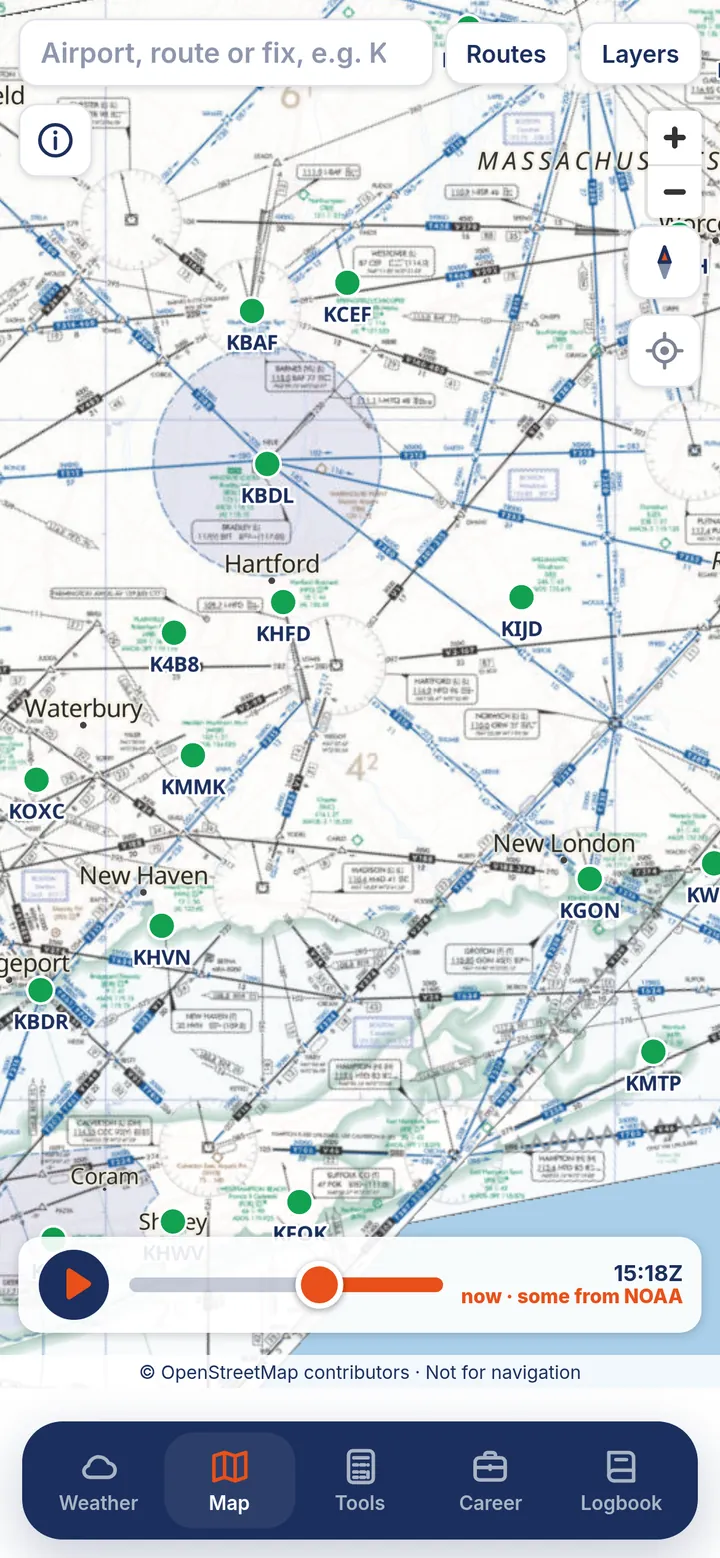
- METAR flight category and every airportColoured METAR dots, plus airports and runways, over 23,000 of them, shown as you zoom.
- SIGMETs, AIRMETs and PIREPsInternational SIGMETs (Canada included), plus US SIGMET, AIRMET, G-AIRMET and Center Weather Advisory layers.
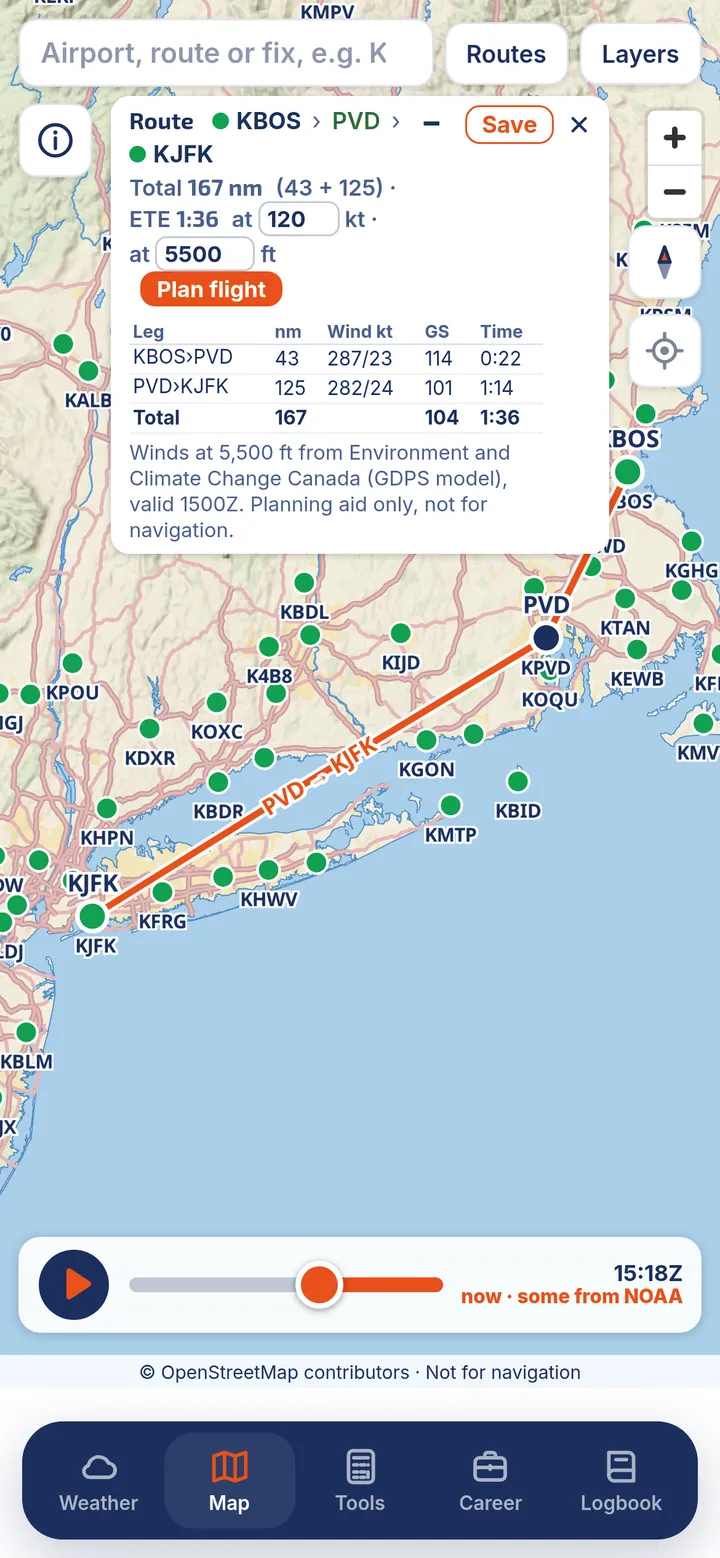
- Routes you can saveType airports and fixes, like KBOS PVD KJFK, to see distances, times and winds for each leg. Save routes by name.
- Flight plannerNEWPick a cruise altitude and get winds aloft per leg, then open a full plan. A planning aid only.
- Save an area for offlineKeep the base map for the area you fly in, for when you have no signal.
US NOTAMs you can actually read
Features built from FAA and NOAA data are labelled US in the app.
- Decoded US NOTAMsUSPlain-English NOTAMs, sorted into runways, taxiways, navaids, procedures, obstacles and more, with what is closed right now at the top. The coded text is one tap away.
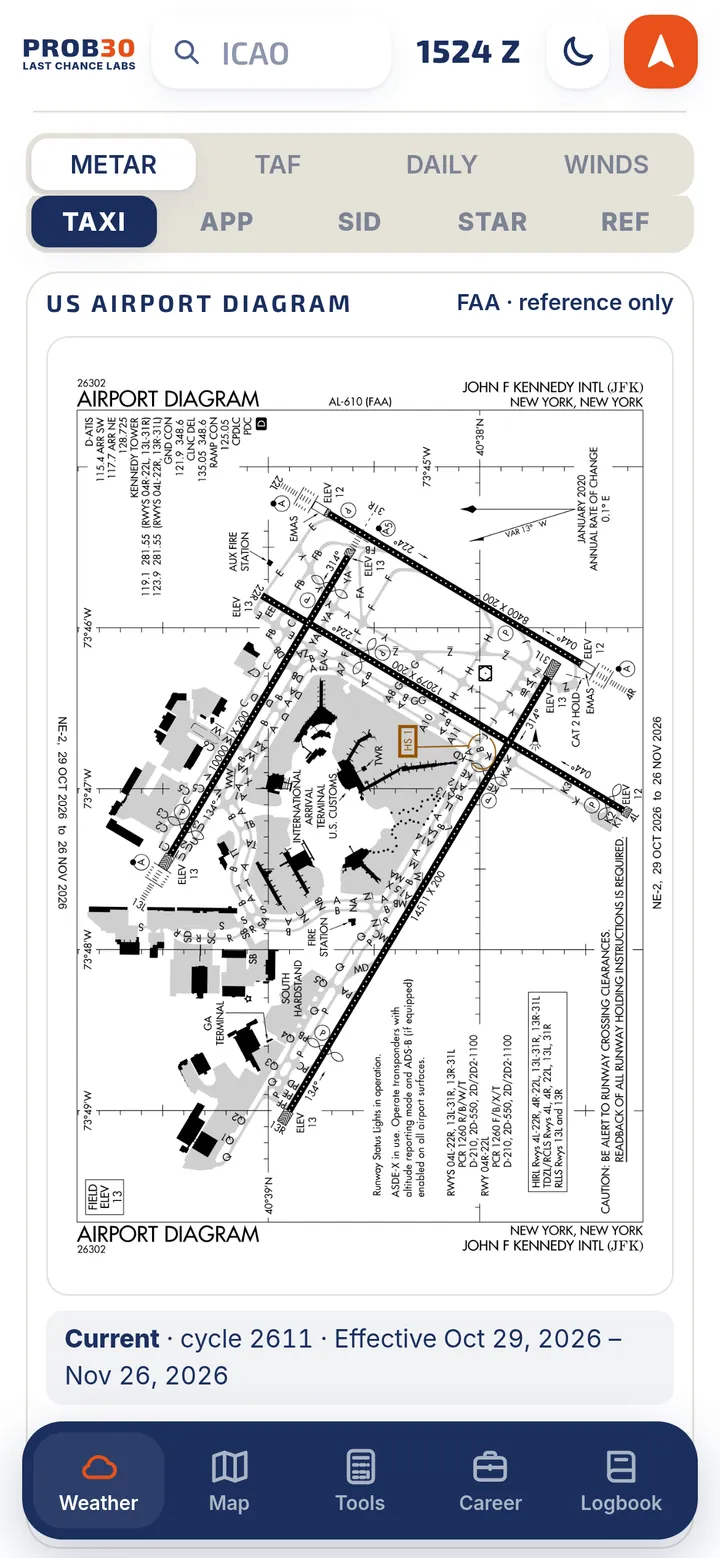
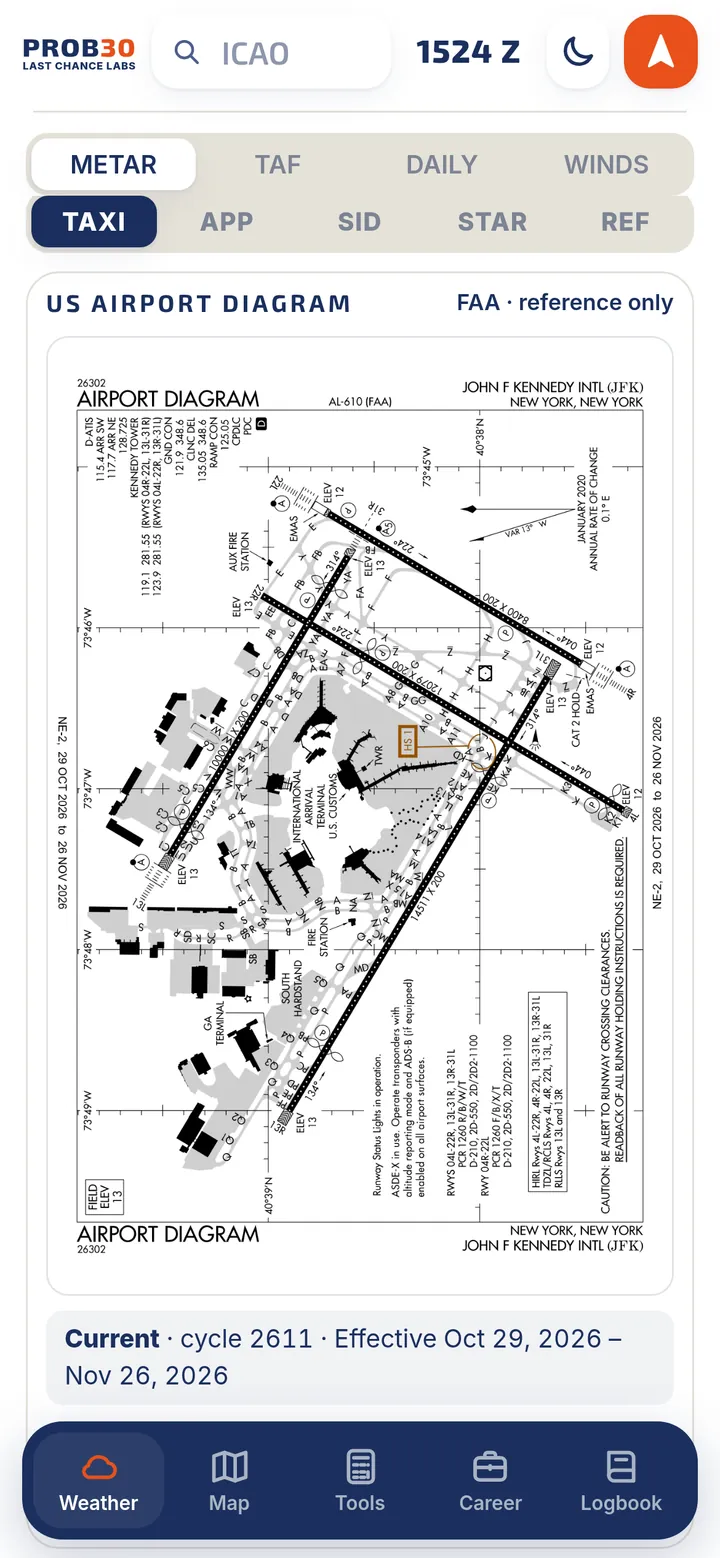
- FAA airport diagrams and proceduresUSAirport diagrams plus approach, departure, arrival and reference charts. They are saved for offline use, fit to your screen, and show their cycle dates.
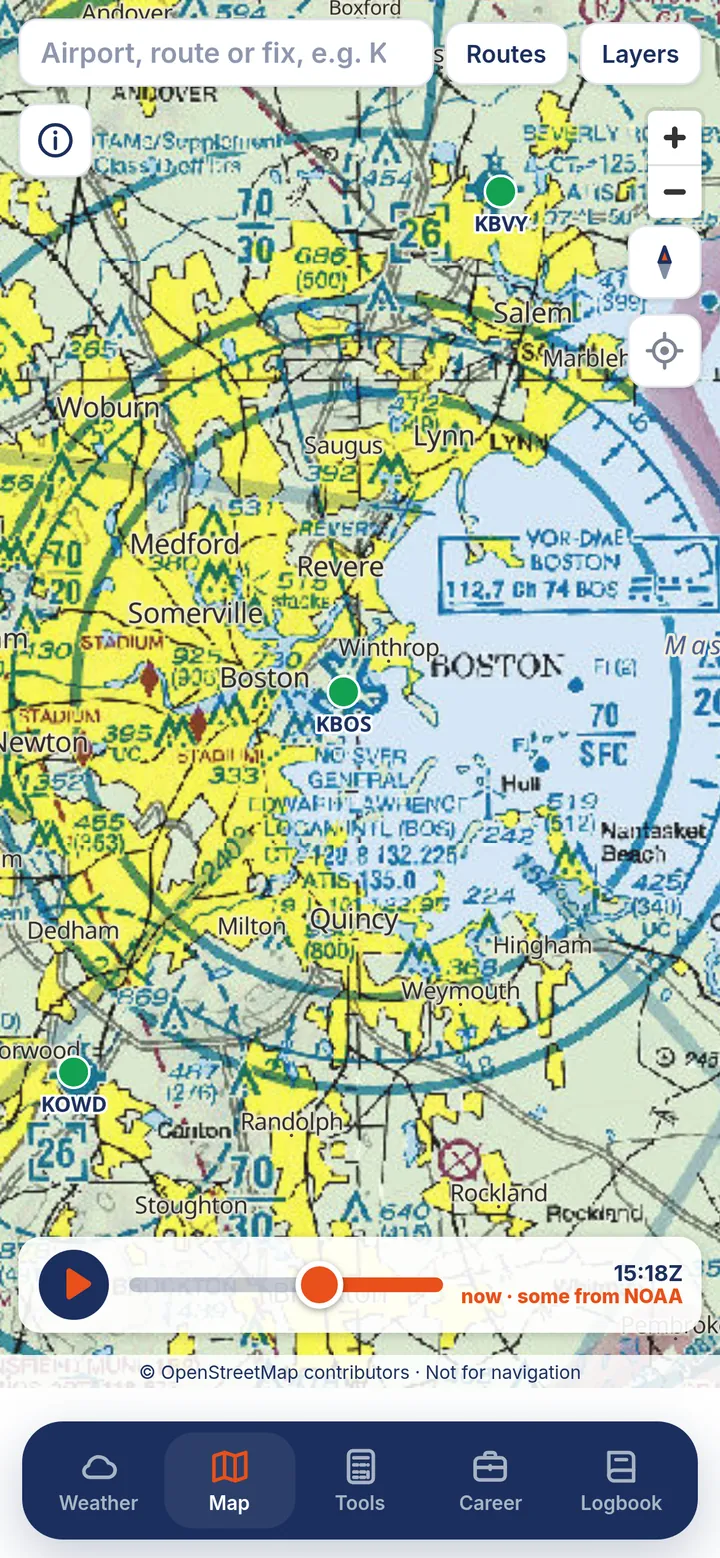
- US charts on the mapUSVFR sectional, terminal area, and IFR enroute low and high charts, airspace, TFRs, and FAA fixes and navaids.
- US frequencies and ATISUSUS airport frequencies, D-ATIS, and tap-to-call ATIS.
Derived from FAA data; not an official FAA product. Canadian NOTAMs and official Canadian charts are not shown in the app. PROB30 links you to the official sources instead.
A logbook that does the maths for you
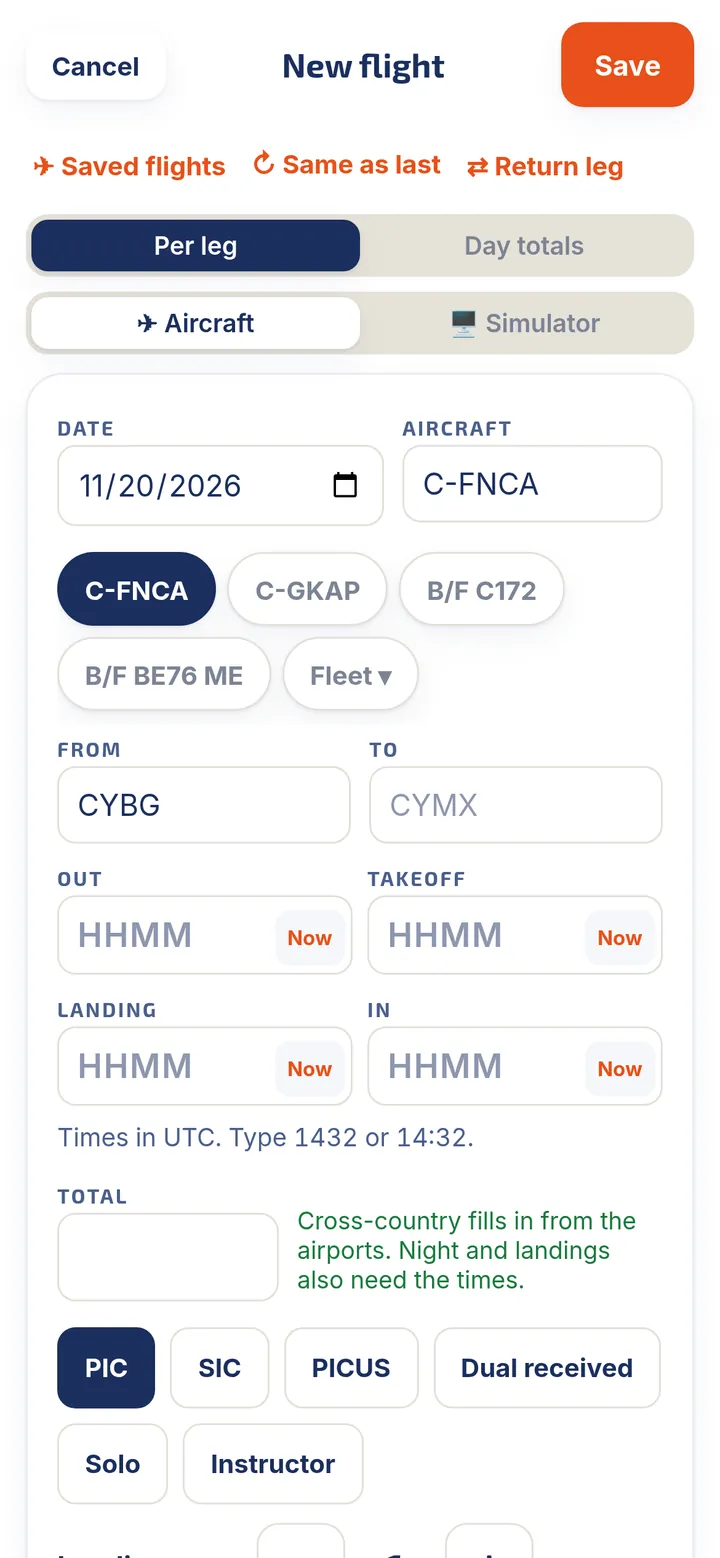
Log a flight in about 20 seconds: pick the aircraft, type the two airports and the times. PROB30 works out the rest.
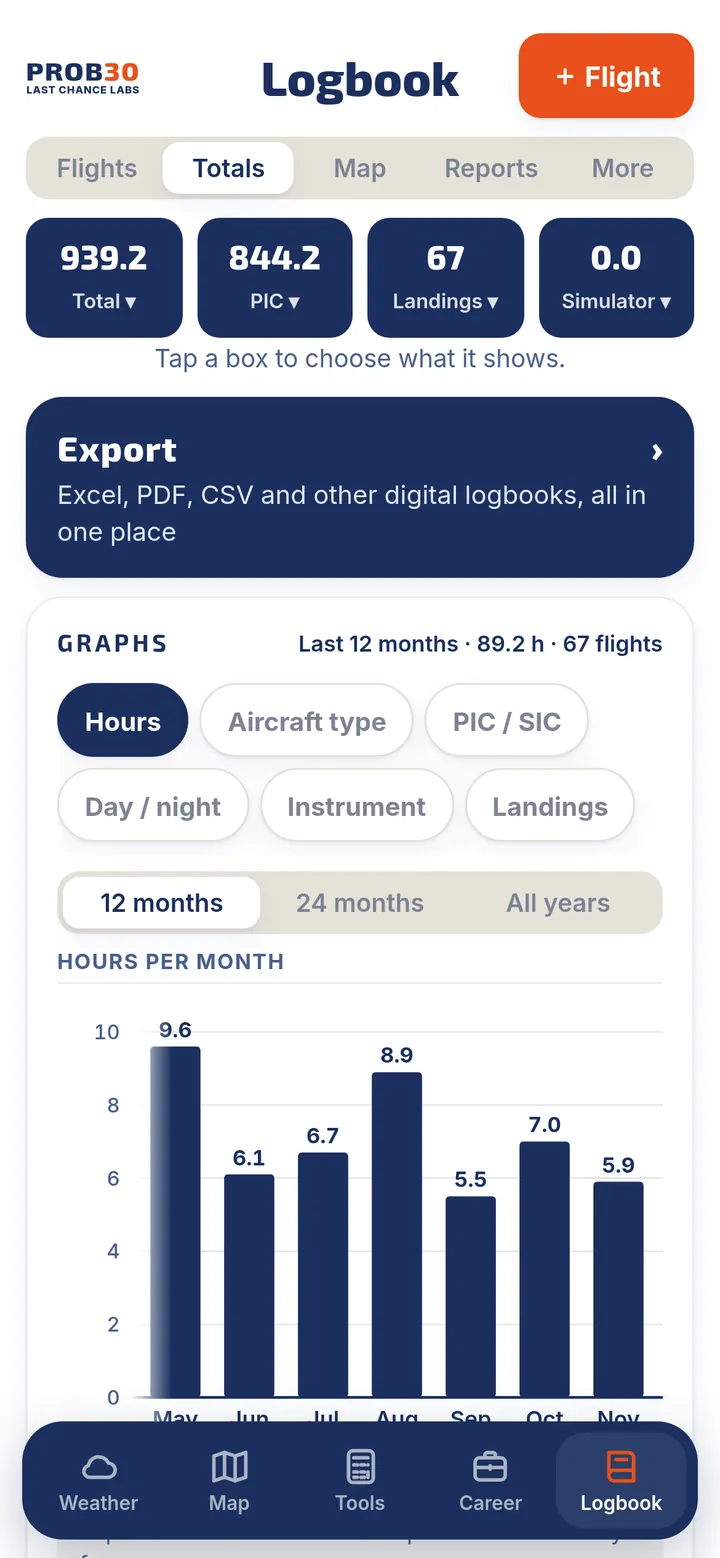
- Automatic night, landings and cross-countryNight time and cross-country are worked out from your times and airports. Anything you type yourself always wins.
- Flight timerOne tap at each step (Out, Takeoff, Landing, In) and the times are filled in for you.
- Instrument estimates you confirmWeather-based instrument time estimates and automatic approaches, based on the airport's own reports. Nothing counts until you confirm it.
- Totals and graphsChoose what each totals box shows. Graph hours, aircraft types, PIC and SIC, day and night, instrument time and landings.
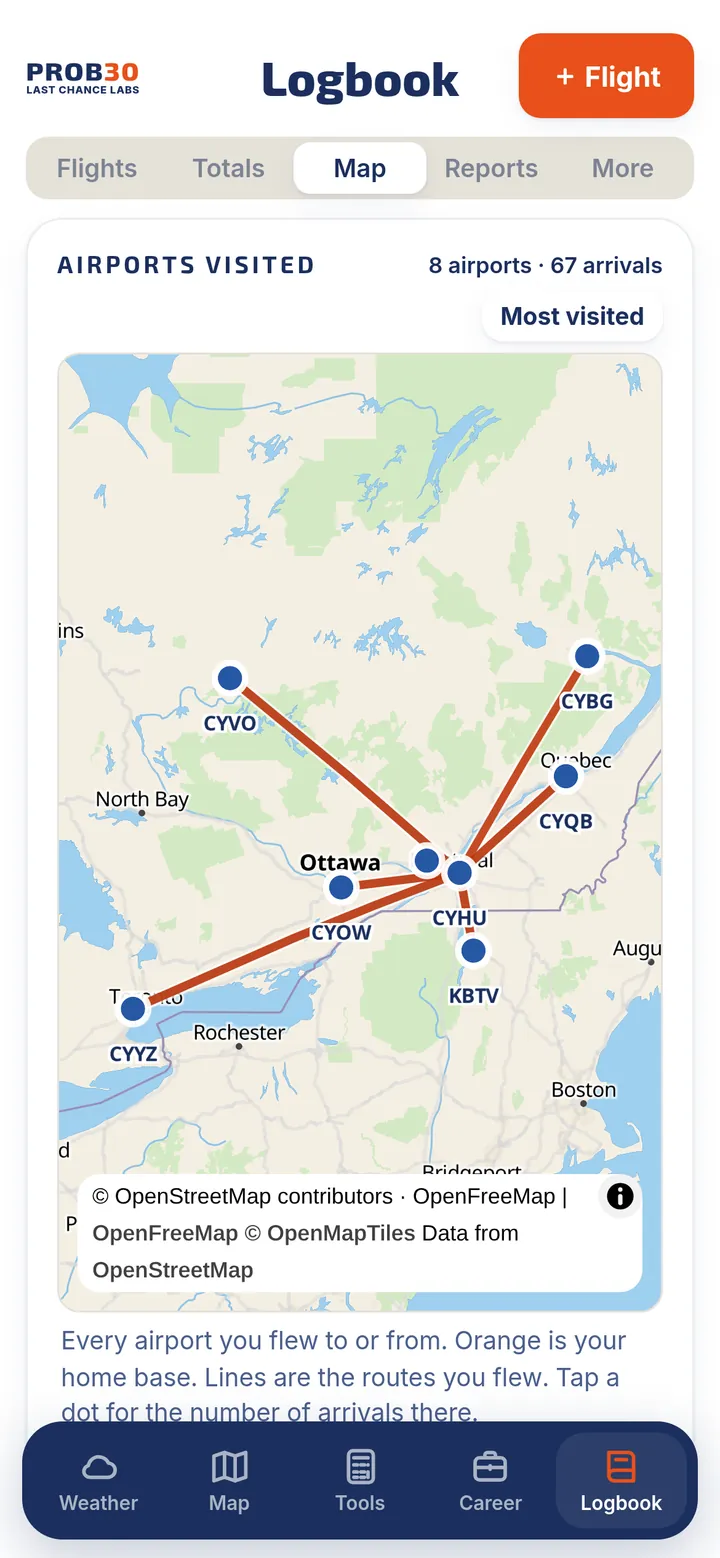
- Airports visited mapEvery airport you flew to or from, with lines for your routes and a "most visited" view.
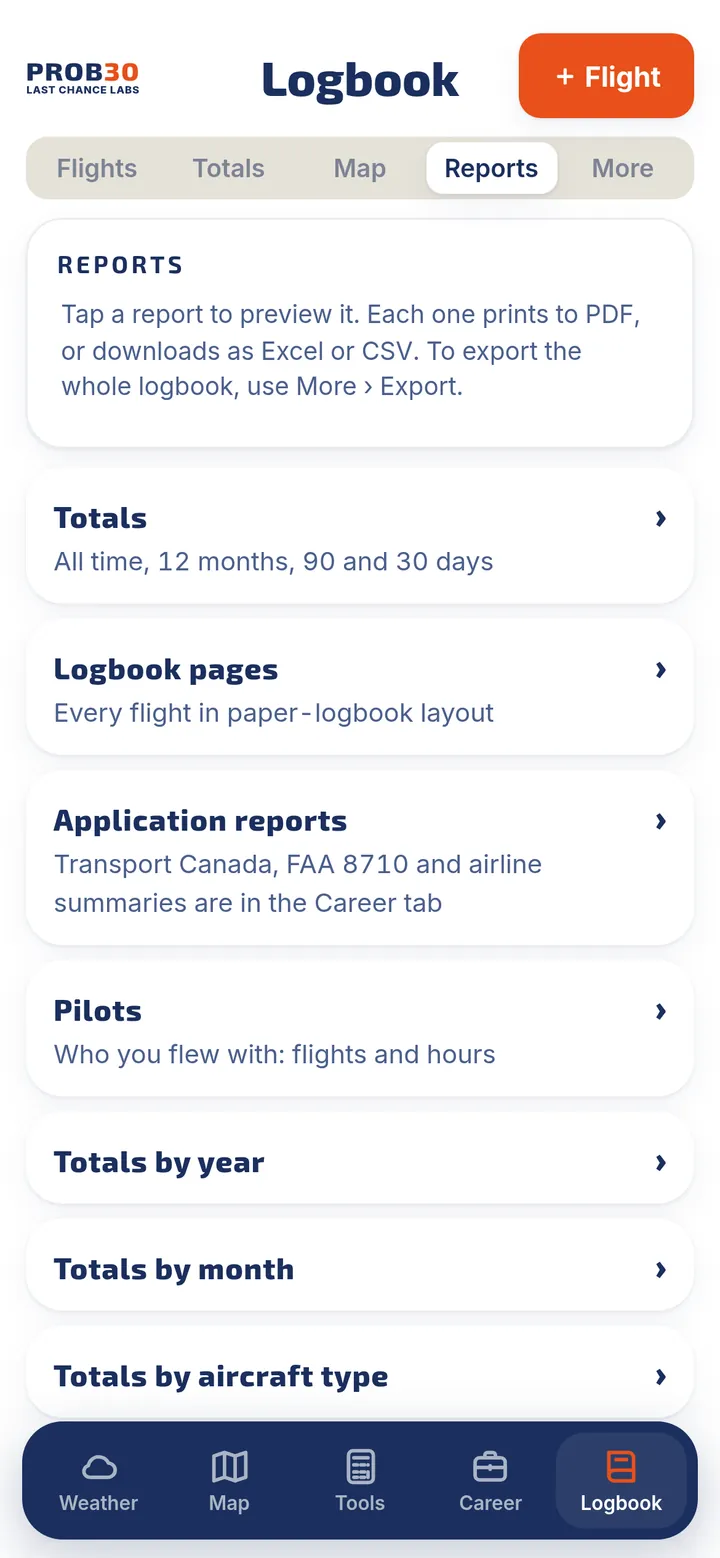
- Reports, ready to printTotals, paper-style logbook pages, totals by year, month, type or aircraft, simulator, instrument and approaches, an insurance summary, and your own custom reports. Each one exports to PDF, Excel or CSV.
- Everything a real logbook needsAircraft, crew and students, endorsements signed on screen, smart groups, custom fields, saved flights and templates.
- Import and exportBring in Excel, CSV, other digital logbooks, a roster or a GPS track. Export to Excel, CSV or PDF.
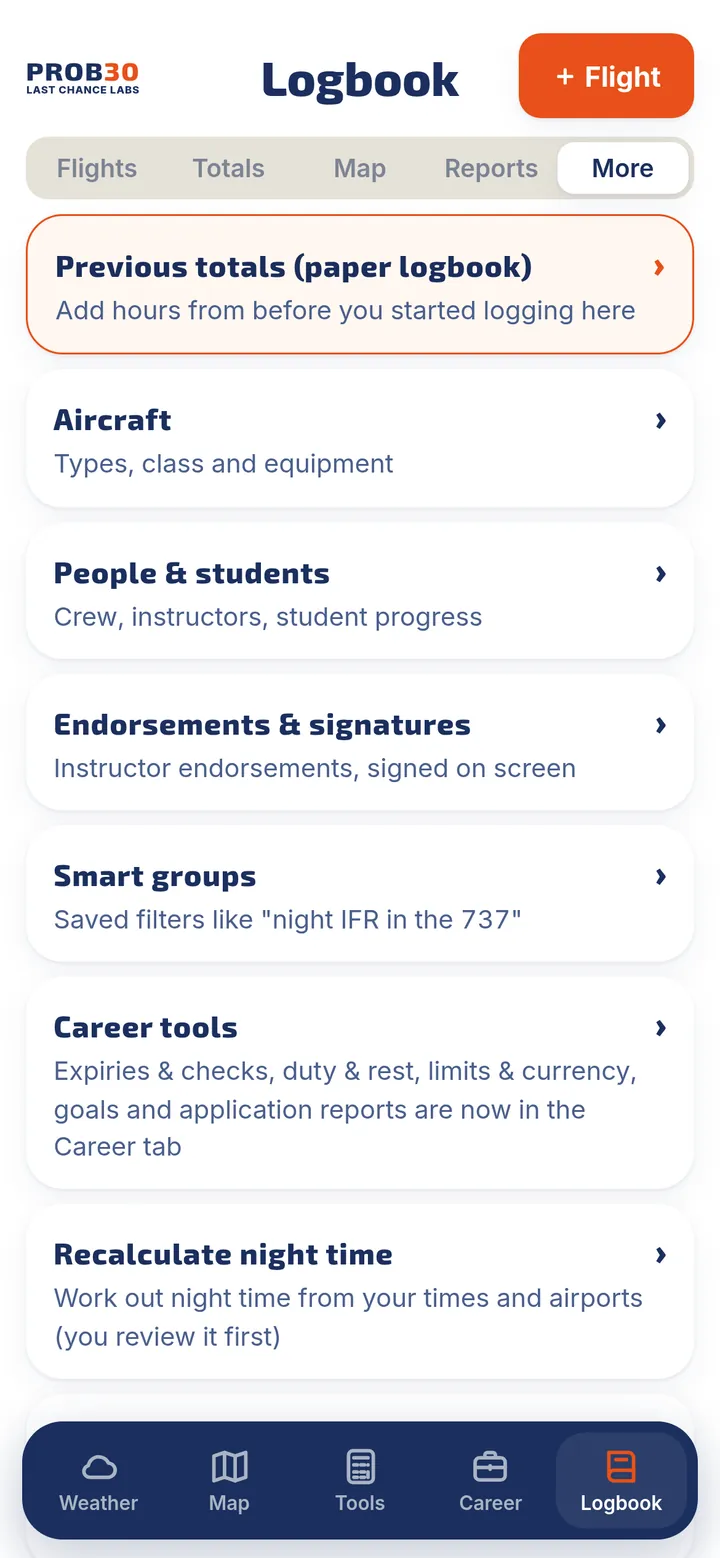
Snap a photo. Check it. Done.
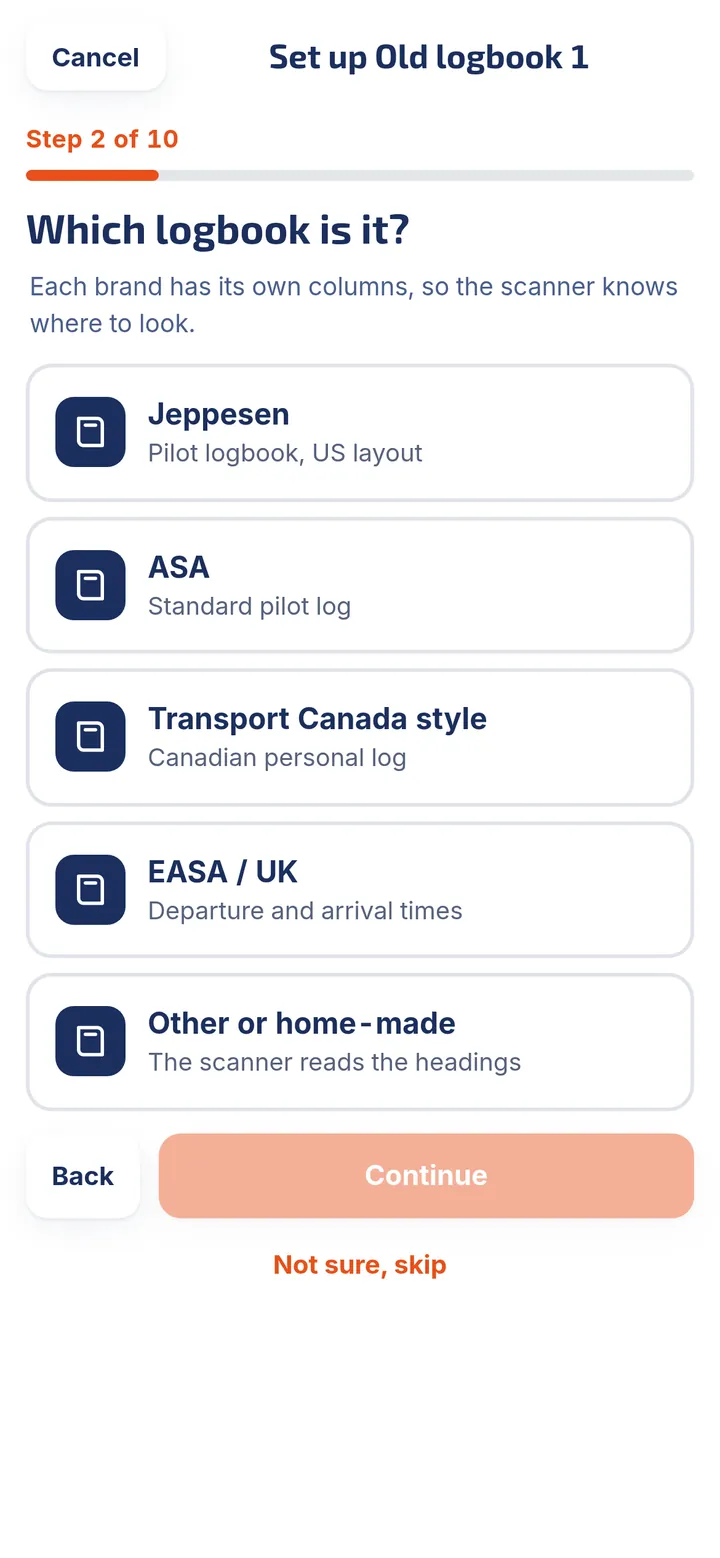
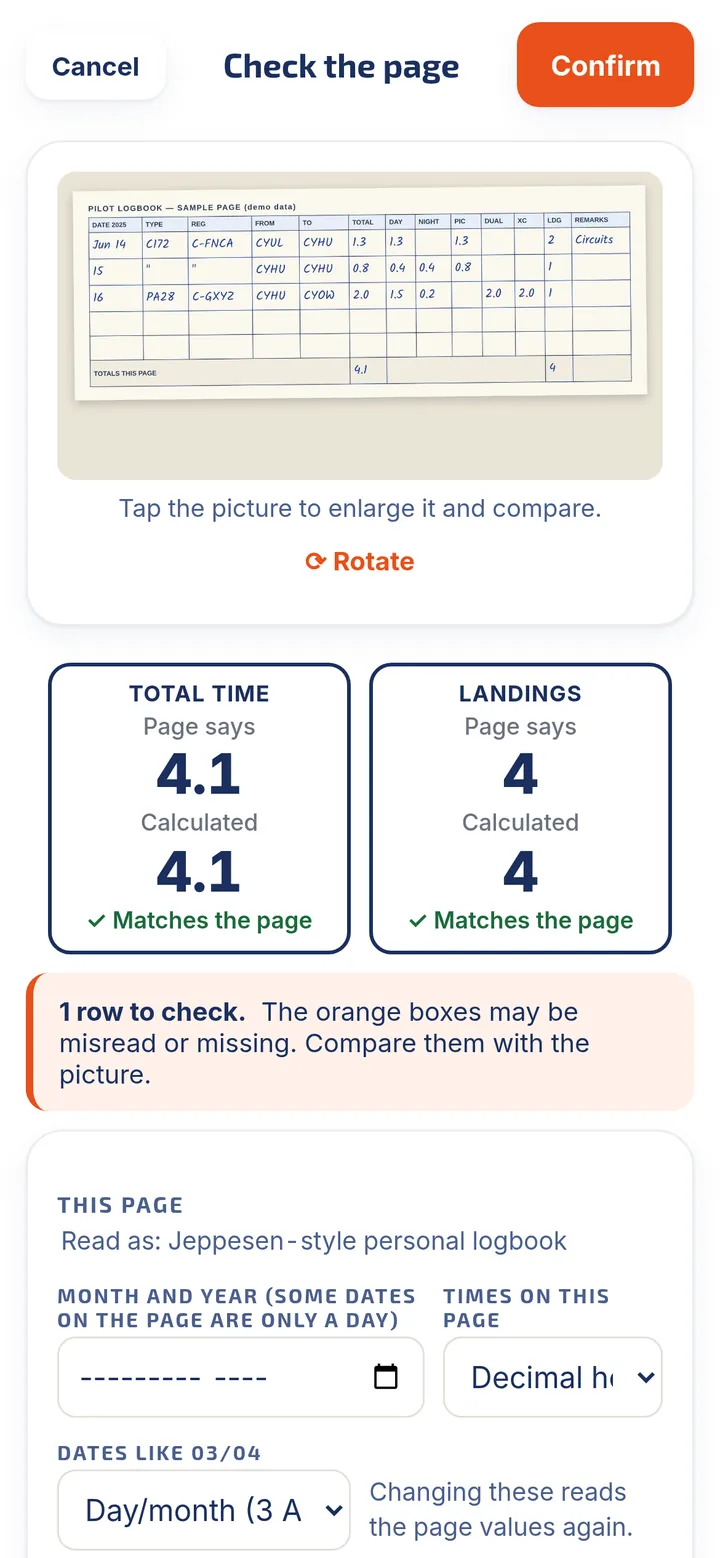
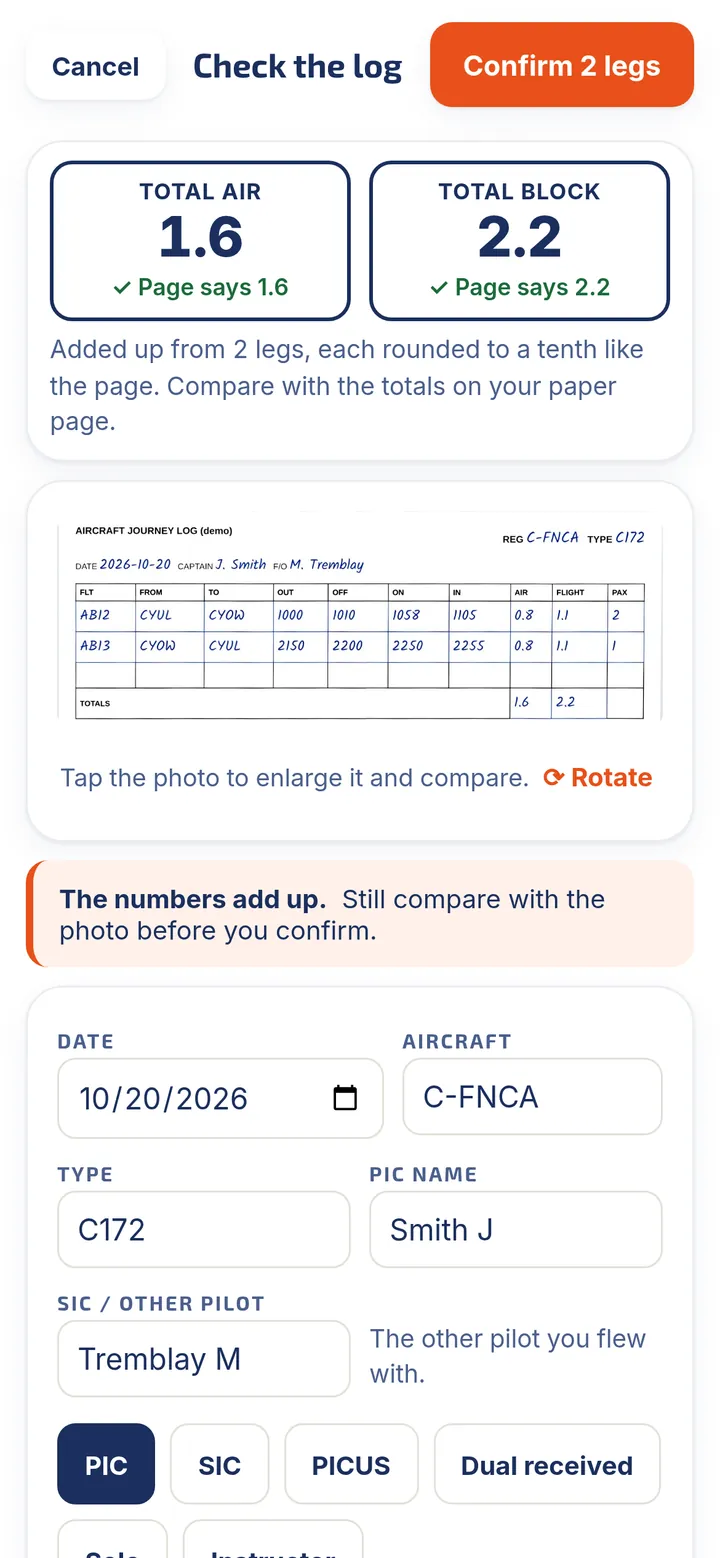
Two scanners turn paper into logbook entries. You review every row before anything is saved.
- AI Logbook ScannerPhotograph the pages of your old paper logbook. A few setup questions tell the scanner which logbook you use, then each page is checked against its own "totals this page".
- Smart readingReads split hour boxes, handles a new year in the middle of a page, suggests your known registrations and types, and flags anything it is unsure about.
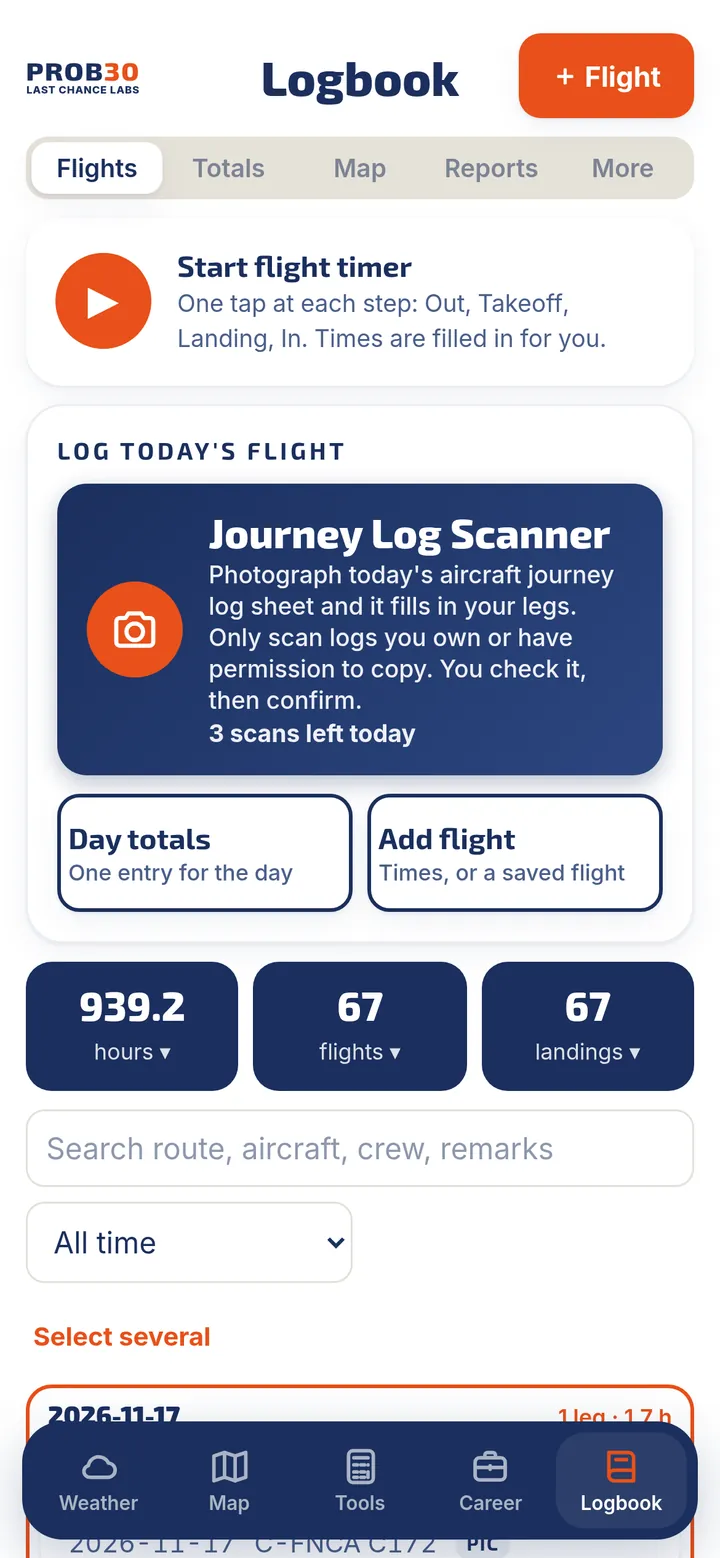
- Journey Log ScannerPhotograph today's aircraft journey log sheet and it fills in your legs, with out, off, on and in times and block time.
- You stay in controlNothing is saved until you confirm. PROB30 does not store your pictures. Only scan logs you own or have permission to copy.
Included with the subscription: 100 past-logbook pages a year (10 during the free trial) and the Journey Log Scanner up to 3 times a day. The scanner sends only the page you choose to an AI reader.
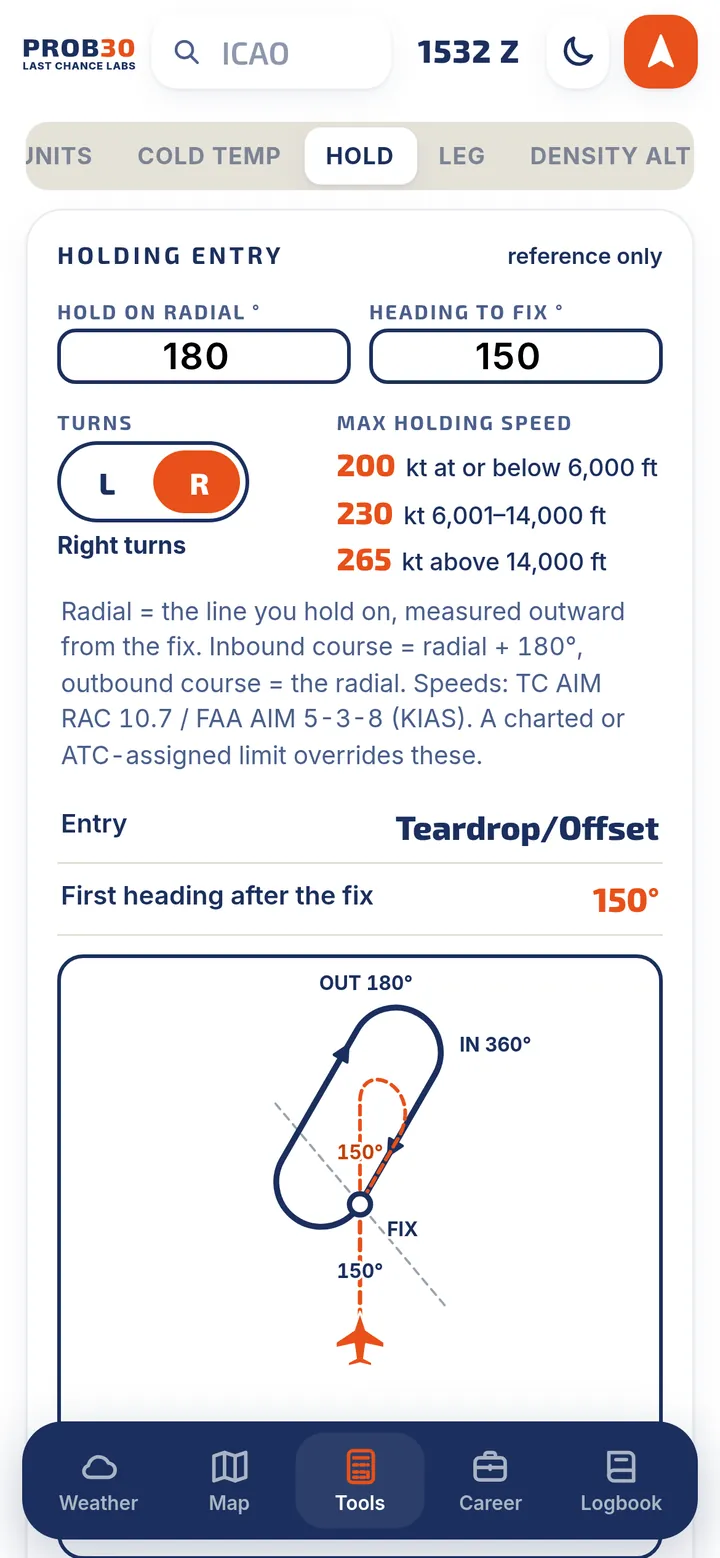
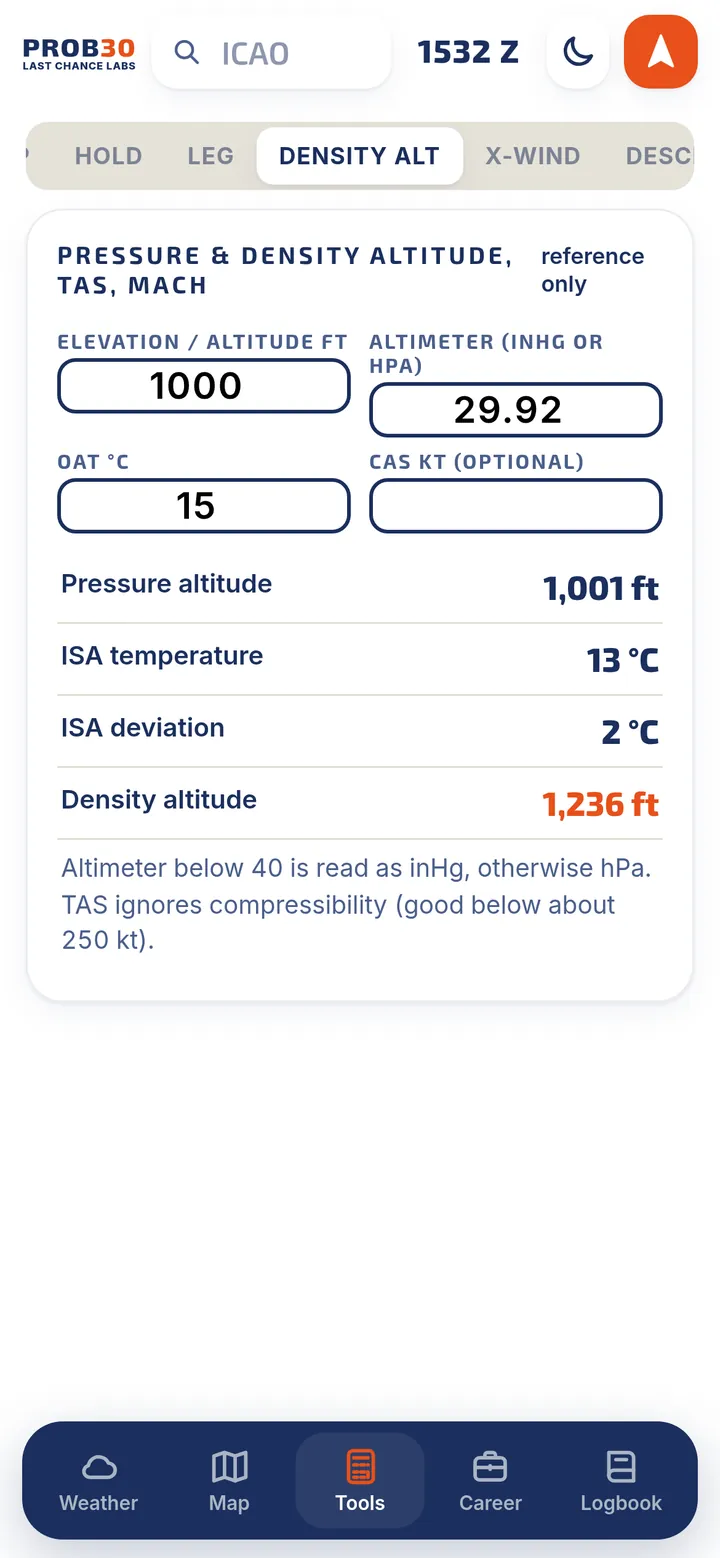
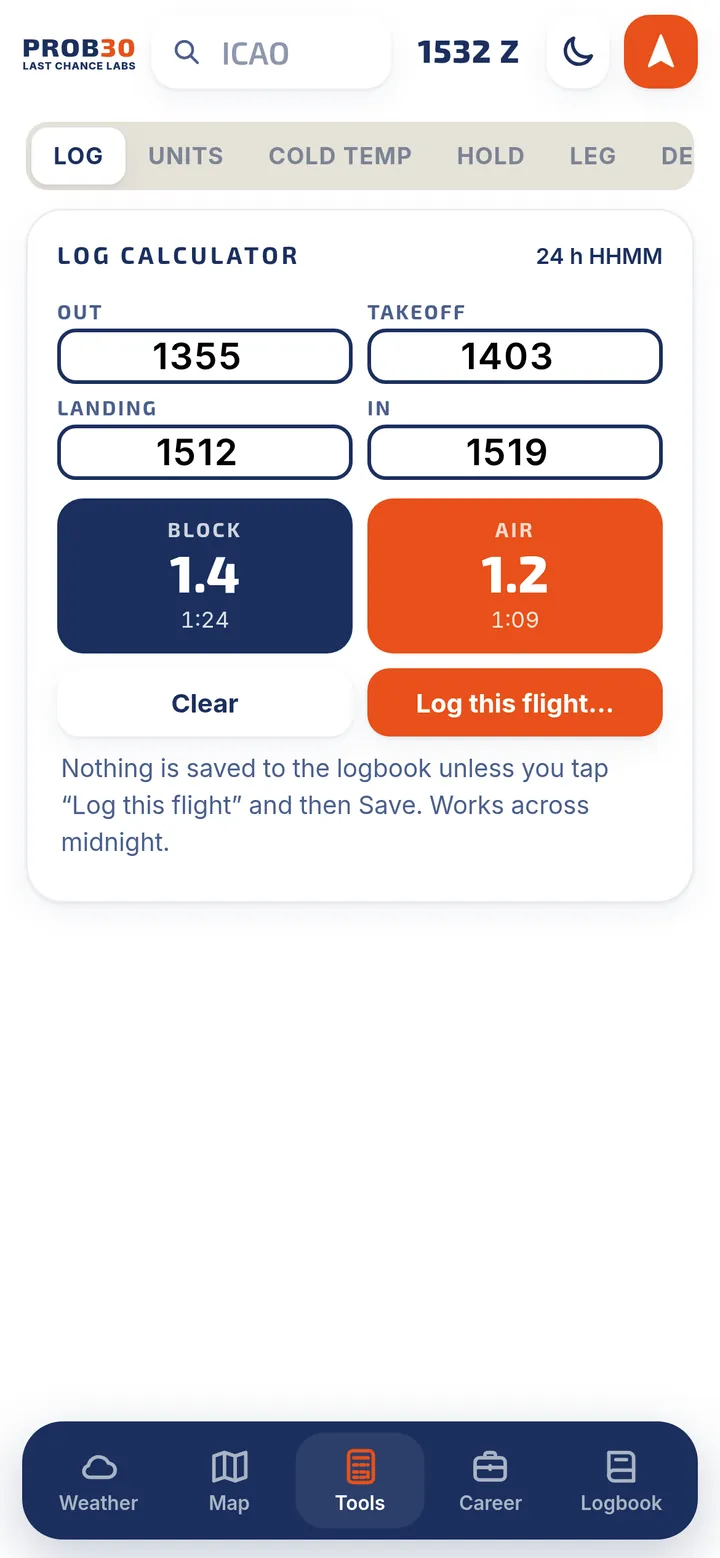
11 calculators for the flight deck
Quick, reference-only calculators that remember your last values.
Your logbook is yours
No account to create. No ads. No tracking. We never sell your data.
Stays on your device
Your flights live on your iPhone, not on our servers. You can lock the logbook with a passcode.
iCloud backup and sync
Back up to your own iCloud Drive daily, weekly or by hand, and restore with a preview first. Optional iCloud sync keeps your Apple devices in step, in your private iCloud.
Your files, your way
Save a full backup file with your flights, photos, attachments and settings, or export to Excel, CSV or PDF any time.
The AI scanners are the one exception: they send only the page you choose to an AI reader, after you agree, and PROB30 does not store it. Details are in the Privacy Policy.
Coming soon to the App Store
PROB30 launches on iPhone in Canada and the United States on December 7, 2026.
7-day free trial, then CA$49.99 a year (US$34.99 in the United States). The App Store shows the price in your currency before you confirm.